How Scammers Use “Free Gift” Links: Real Examples and Warning Signs
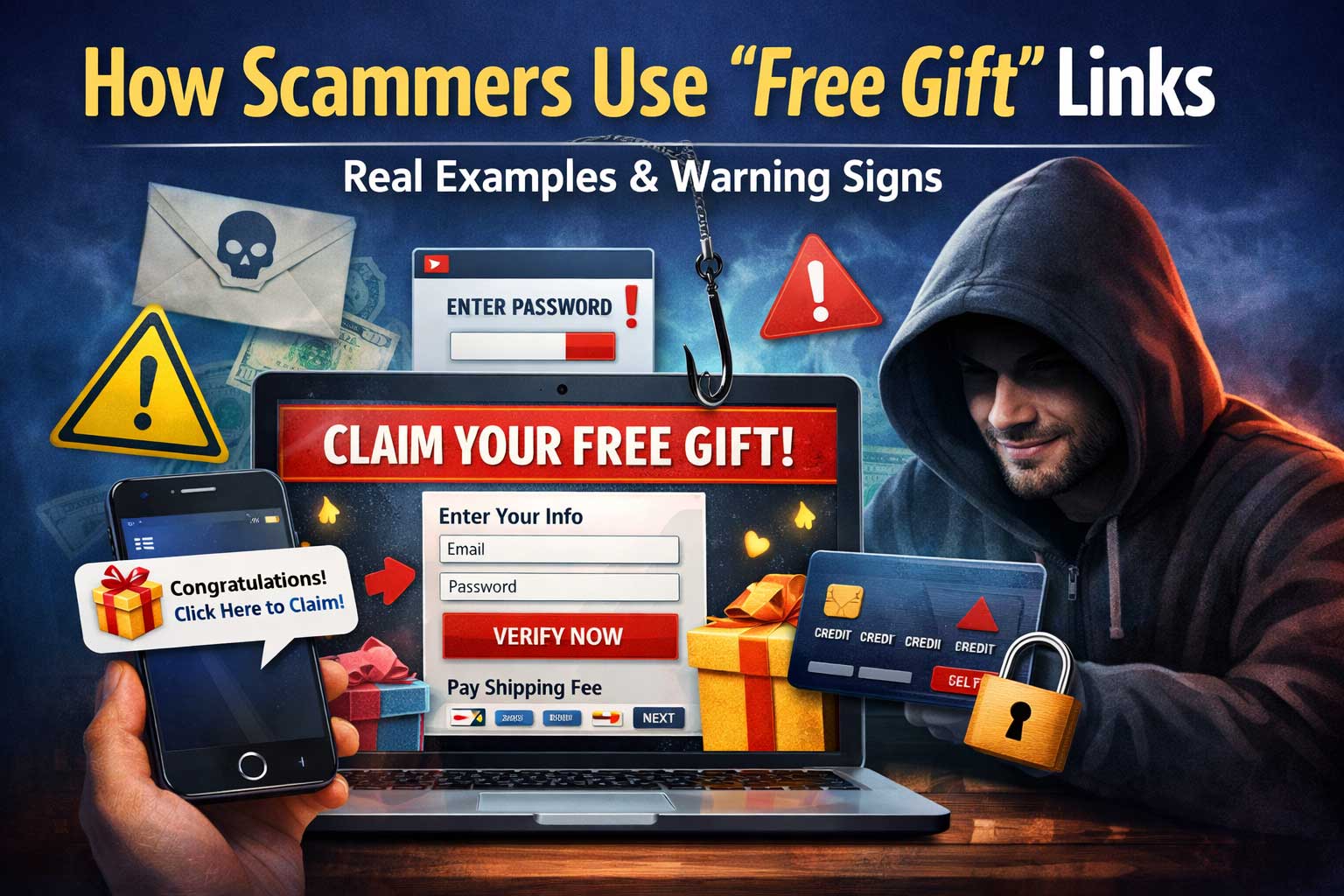
“Congratulations! You’ve been selected for a free gift.”
It’s one of the oldest tricks online, and it keeps working—because it doesn’t feel like a threat. It feels like a reward.
“Free gift” link scams are designed to trigger quick, emotional clicks: excitement, curiosity, urgency, or the fear of missing out. The goal isn’t just to get you to open a page. The goal is to move you through a simple funnel that ends with something valuable: your login details, your payment card, a one-time code, your personal information, or access to your device.
This article breaks down how “free gift” link scams really work, shows realistic examples of what they look like, and gives you a practical checklist of warning signs and safe verification steps—without you needing to become a cybersecurity expert.
What “Free Gift” Link Scams Actually Are
A “free gift” link scam is any message, post, ad, or pop-up that promises a reward—gift card, prize, voucher, free product, premium subscription, or exclusive giveaway—and includes a link that leads you into a trap.
That trap can take many forms:
- Phishing for passwords (fake login pages for popular services)
- Payment fraud (charging “small shipping fees” or “verification fees”)
- Subscription traps (signing you up for recurring charges)
- Identity harvesting (collecting address, phone, date of birth, ID photos)
- Account takeover (stealing one-time codes or session tokens)
- Malware or risky app installs (especially on mobile)
- Affiliate abuse (pushing you into shady offers where someone profits per signup)
The biggest misunderstanding people have is thinking scams always look “obviously fake.” Many modern “free gift” scams are polished, use brand-like visuals, and are delivered through channels that feel personal—like a message from a friend, a community group, or a customer service “agent.”
Why “Free Gift” Hooks Work So Well (The Psychology)
Scammers don’t rely on complex technology first. They rely on predictable human behavior. “Free gift” scams succeed because they combine several psychological triggers at once:
1) Reward Bias
Your brain loves rewards. A gift promise creates a mini dopamine spike—enough to reduce careful thinking. You might click first and evaluate later.
2) Urgency and Scarcity
“Only today.” “Limited stock.” “Claim within 30 minutes.”
These phrases push you into fast decisions. When time feels limited, people skip verification.
3) Authority and Familiarity
Scammers mimic brands, delivery services, influencers, or employers. Even a familiar logo or a common brand name can create a false sense of safety.
4) Social Proof
“Thousands of winners.” “Your friend tagged you.” “Everyone is claiming.”
The scam becomes “normal,” which lowers suspicion.
5) Loss Aversion
Sometimes the message isn’t “You won,” but “You’re about to lose your reward.” Fear of missing out can be more powerful than excitement.
6) Micro-Commitments
Scams often start with easy steps: “Answer 3 questions,” “Spin the wheel,” “Confirm your email,” “Pay shipping.” Small actions build momentum until you do the risky thing—like entering card details.
Understanding these triggers matters because the moment you feel rushed or overly excited is the moment you should slow down.
The “Free Gift” Scam Funnel (How the Trap Usually Works)
Most “free gift” link scams follow a predictable path. If you learn the pattern, you can spot it faster—even when the design changes.
Step 1: The Hook
You see a message, ad, comment, or pop-up:
- “You’ve been selected”
- “Claim your reward”
- “Free gift for loyal customers”
- “Your order includes a surprise gift”
- “You won a giveaway”
Step 2: The Click
The link often looks harmless at first glance, or it’s shortened so you can’t see where it goes.
Step 3: The Landing Page
You land on a page that is engineered to feel legitimate:
- Brand-like colors and fonts
- Fake countdown timers
- “Limited stock” banners
- “Winner” names scrolling
- A progress bar (“Step 1 of 3”)
Step 4: The Data Collection
The page asks for something:
- Email/password (“log in to confirm”)
- Phone number (to “send verification code”)
- Address (for “delivery”)
- Card details (for “shipping” or “verification”)
Step 5: The Monetization
What they do next depends on the scam type:
- Attempt account takeover
- Charge your card
- Sell your data
- Use your identity details for other fraud
- Send more scam messages using your account
Step 6: The Follow-Up Loop
Even if you don’t “finish,” they may:
- Retarget you with new messages (“Your reward is pending”)
- Hand you off to a fake “support agent”
- Pressure you with threats (“We will cancel your reward”)
When you recognize the funnel, you can stop it early—ideally before Step 3.
Where “Free Gift” Links Commonly Appear
Scammers adapt to wherever people’s attention is. “Free gift” links show up most often in:
SMS and Messaging Apps
Short messages feel urgent and personal:
- “Congrats! Claim your free gift now.”
- “Your package includes a gift—confirm address.”
These often imitate loyalty programs, receipts, or promotions:
- “Reward points expiring”
- “Exclusive gift for members”
Social Media Posts and Comments
Giveaway posts, “brand ambassador” bait, and comment spam:
- “You won! Click here to claim”
- “Limited-time gift card drop”
Direct Messages from “Friends”
Sometimes a friend’s account is compromised, and the scam is forwarded from a real person:
- “Is this you in this video? Also claim your gift here.”
- “I got a free voucher, you can claim too.”
Fake Customer Support Chats
You search for help, find a fake “support” page, and the “agent” offers a compensation gift.
QR Codes in Public Places
A poster claims “Free voucher” or “Free gift,” and the QR leads to a scam page.
In-App Ads and Pop-Ups
Some mobile ads mimic system alerts or official rewards. Even if the ad network didn’t intend it, scammers exploit weak moderation.
Realistic Examples of “Free Gift” Link Scams (What They Look Like)
Below are realistic examples based on common patterns. These are not real brands or real links—just the wording and flow you’re likely to encounter.
Example 1: “Loyal Customer Reward”
Message:
“Thank you for being a loyal customer! You’re eligible for a free gift box. Claim within 2 hours before it expires.”
What happens next:
A page shows a “Congratulations” banner, asks you to “log in to confirm membership,” then steals your password.
Why it works:
It feels like a normal loyalty perk, and the deadline adds pressure.
Example 2: “Delivery Surprise Gift”
Message:
“Your delivery includes a free gift. Confirm your address to receive it.”
What happens next:
A fake delivery page asks for name, address, phone. Then it asks for a “small fee” to “verify delivery,” taking your card details.
Why it works:
People are used to deliveries and address confirmations. The small fee feels believable.
Example 3: “Spin the Wheel Giveaway”
Pop-up on a website:
“Spin the wheel to win a free gift today!”
What happens next:
No matter what you do, you “win.” Then the site demands your email, phone, and payment for “shipping,” or pushes you into a subscription.
Why it works:
It gamifies the decision and makes you feel like you earned the reward.
Example 4: “Gift Card Compensation”
Message from “support”:
“We’re sorry for the inconvenience. We’re offering a gift card as compensation. Please verify your account.”
What happens next:
The “verification” is a fake login page or a request for a one-time code.
Why it works:
It uses apology + compensation, which lowers suspicion and makes you feel taken care of.
Example 5: “Influencer Giveaway Winner”
DM:
“Congrats! You won my giveaway. Click to submit shipping details.”
What happens next:
The page looks like a giveaway form but collects extensive personal data and sometimes ID photos.
Why it works:
Fans trust influencers. The message feels exclusive and personal.
Example 6: “Free Trial Gift That Isn’t Free”
Ad:
“Claim your free gift trial. Limited supply.”
What happens next:
You enter card details “just for verification,” and recurring charges begin later.
Why it works:
People accept entering card details for trials. The “gift” framing hides the subscription.
Example 7: “Workplace/Student Benefit”
Message:
“You’re eligible for a free gift through your organization benefit program.”
What happens next:
A fake portal requests login credentials or personal details.
Why it works:
It sounds official and targeted, especially if it mentions “program,” “benefit,” or “eligible.”
Example 8: “Game Rewards and Skins”
Message in a gaming community:
“Free gift: claim premium items for a limited time.”
What happens next:
A page asks you to log in using your gaming account, then steals it and uses it for trading, spam, or resale.
Why it works:
Gaming rewards are normal, and people click fast to avoid missing drops.
Example 9: “Holiday Gift Box”
Email:
“Holiday appreciation gift: choose your free gift box today.”
What happens next:
It funnels you into an address and payment form, often with a fake countdown and fake stock levels.
Why it works:
Seasonal promotions feel normal. People expect gift campaigns around holidays.
Example 10: “Survey Reward”
Message:
“Answer 3 questions and get a free gift.”
What happens next:
It starts with harmless questions, then asks for your phone number, then pushes you to install an app or enter payment details.
Why it works:
It begins with a low-risk action that builds compliance.
How Scammers Make “Free Gift” Links Look Legit
The link itself is often the most important clue—if you know what to look for. Here are common disguise tactics (explained defensively):
1) Link Shortening and Redirect Chains
A shortened link hides the final destination. You can’t tell where it goes until you click. Redirect chains can also bounce through multiple pages to confuse security filters and users.
2) Lookalike Names and Misspellings
Scammers register names that resemble real brands:
- Extra letters
- Missing letters
- Swapped characters
- Added words like “rewards,” “claim,” “bonus,” “support,” “promo”
3) Subdomain Tricks
A link might contain a brand name but not belong to it. For example, a scammer can put a trusted-sounding word before the real domain name in a way that fools quick readers.
4) Unicode and Similar Characters
Some characters from other alphabets look like English letters. On a quick glance, the name looks right. This is hard to catch unless you’re trained to look carefully.
5) “Secure” Visual Cues
Scam pages use trust signals:
- Lock icons in images (not real browser locks)
- “Verified” badges as graphics
- Fake security seals
- Overuse of “secure,” “protected,” “certified”
6) Tracking Codes to Mimic Marketing
Long strings of letters and numbers can make a link feel like it came from a real marketing campaign. The complexity discourages people from checking.
7) Copying Real Page Layouts
Scammers mimic real landing pages and forms. Sometimes they even copy text and design patterns so it “feels” official.
The Most Common “Free Gift” Scam Types (And What They’re After)
Not every “free gift” scam wants the same thing. Here are the major categories and their real targets:
1) Credential Phishing (Password Theft)
Target: Your login credentials
How it looks: “Log in to claim your gift”
What happens: They try your password on other services too, because many people reuse passwords.
2) One-Time Code Theft (OTP Hijacking)
Target: SMS or app verification code
How it looks: “Enter the code we sent to verify you”
What happens: They use the code to log into your real account while you’re distracted.
3) Shipping Fee Fraud
Target: Your card details
How it looks: “Gift is free, pay shipping only”
What happens: They charge your card or sell the card information.
4) Subscription Traps
Target: Recurring billing authorization
How it looks: “Free gift trial” or “verification fee”
What happens: Charges appear later, often with confusing merchant names.
5) Identity Harvesting
Target: Personal data for future fraud
How it looks: A “claim form” requesting lots of details
What happens: Data is sold or used in other scams, including impersonation attempts.
6) Malware and Risky App Installs
Target: Device access, notifications, or installed profiles
How it looks: “Install to claim,” “Enable notifications,” “Allow permissions”
What happens: Your device gets flooded with scam ads, or worse—compromised apps.
7) Social Engineering Hand-Off
Target: You, via a live scammer
How it looks: “Contact support to finalize your gift”
What happens: A “support agent” manipulates you into sending money or sharing codes.
Warning Signs: The “Free Gift” Red Flag Checklist
Use these warning signs like a filter. One sign might be harmless. Multiple signs together are a strong signal it’s a scam.
Message-Level Red Flags
- Unexpected gift from a company you never joined or shopped with
- Overly urgent deadlines: “expires today,” “claim in 15 minutes”
- Vague sender identity: no clear company name, weird display names
- Poor grammar or unnatural phrasing (though not always)
- Too-good-to-be-true reward: expensive item for nothing
- Pressure language: “final notice,” “last chance,” “act now”
- Emotional manipulation: “You deserve this,” “Don’t miss out”
- Requests for secrecy: “Don’t share this link,” “exclusive invite”
Link-Level Red Flags
- Shortened links that hide the destination
- Brand name lookalikes or odd extra words
- Random characters that don’t match a normal campaign
- Mismatch between message and destination (gift from one brand, link name looks unrelated)
- Multiple redirects (if you notice the page loading several times)
Landing Page Red Flags
- Forced “You won” outcome regardless of choices
- Fake countdown timers that restart if you refresh
- Stock counters that always show “only 2 left”
- Requests for passwords to claim a “gift”
- Asking for one-time codes
- Payment required for a “free gift,” especially without clear billing details
- Excessive permissions on mobile (notifications, accessibility, device admin)
- No real contact information or only chat pop-ups
- Aggressive pop-ups that block closing or trap scrolling
Behavior Red Flags (How It Makes You Act)
- You feel rushed.
- You feel excited or nervous.
- You’re about to “just do it quickly.”
That emotional spike is a practical warning sign by itself.
How to Verify a “Free Gift” Offer Safely (Without Getting Tricked)
You don’t need special tools to verify most offers. The safest approach is to avoid using the provided link at all.
1) Don’t Click the Link in the Message
Instead, use a trusted route:
- Open the official app you already use
- Type the company name into your browser yourself (not from the message)
- Check your account notifications inside the app or website
If the reward is real, it will usually appear in your account dashboard.
2) Check the Context
Ask yourself:
- Did I sign up for this?
- Did I enter a giveaway?
- Does the timing make sense?
- Did I receive any confirmation earlier?
A legitimate reward almost always has a paper trail: a signup, a receipt, a points balance, a contest entry, or a notification history.
3) Verify Through Official Support (Carefully)
If you must verify, don’t use contact info given in the message or on the suspicious page. Use official channels you already trust (inside the app, on past receipts, or in your account settings).
4) Be Extra Careful With “Shipping Fees”
Legitimate companies can charge shipping for promotional items, but scammers abuse this heavily. If the “gift” requires card details, slow down and verify through official account channels. A real promotion typically explains:
- Who is eligible
- What exactly is free
- Why shipping is charged
- What the total cost is
- Clear terms (not hidden or vague)
5) Never Share One-Time Codes
If a page asks for an SMS code or authenticator code to “confirm your gift,” treat it as a critical red flag. Codes are for logging in, not for receiving a reward.
6) Don’t Install Apps Just to Claim a Gift
If a “gift” requires installing an app from a random prompt, or enabling unusual permissions, step away. Legit promotions don’t require risky installs through unfamiliar flows.
What to Do If You Clicked a “Free Gift” Link
Clicking a link doesn’t automatically mean you’re compromised. What matters is what happened next.
If You Only Opened the Page (No Info Entered)
- Close the page.
- Don’t interact with pop-ups.
- If you downloaded anything, delete it.
- Consider running a reputable device scan if you feel unsure.
If You Entered a Password
- Change that password immediately on the real site (using a trusted route).
- If you used the same password elsewhere, change it everywhere.
- Turn on multi-factor authentication (an authenticator app is usually stronger than SMS).
- Check recent login activity in your account settings if available.
If You Entered a One-Time Code
- Act fast: change the password immediately and sign out of all devices if that option exists.
- Turn on stronger authentication methods.
- Check for:
- New email forwarding rules
- New recovery email/phone numbers
- Suspicious connected apps
- Unauthorized purchases or messages
If You Entered Card Details
- Contact your bank or card provider quickly.
- Ask about:
- Blocking the card
- Disputing charges
- Monitoring for recurring payments
- Watch your transactions carefully for the next few weeks.
If You Gave Personal Information (Address, ID, Date of Birth)
- Be alert for follow-up scams. Data harvesting often leads to more targeted attempts.
- Watch for suspicious calls or messages pretending to be “verification,” “delivery,” or “fraud departments.”
- Consider adding extra security to your email and phone accounts, because those are often used for identity recovery.
If You Installed Something
- Uninstall the app.
- Review permissions and remove anything suspicious.
- On mobile, check for:
- Unknown accessibility permissions
- Device admin apps you didn’t enable
- Notification spam settings
- If problems continue, consider a full device reset (after backing up important files safely).
Why “Free Gift” Scams Keep Coming Back (Even When People Know About Them)
Even people who “know about scams” still fall for them sometimes, because scams evolve in presentation while keeping the same psychological engine.
Here’s why they persist:
- Low cost for scammers: Mass messaging is cheap.
- High reward potential: One successful victim can be very profitable.
- Easy to recycle designs: Templates and cloned pages spread quickly.
- Trust is easy to imitate: Logos, layouts, and language can be copied.
- People are tired and busy: Fatigue is the scammer’s best friend.
The goal isn’t to be perfect. The goal is to catch someone at the wrong moment—rushed, distracted, or excited.
How to Teach Yourself (and Others) a Simple Anti-Scam Habit
You don’t need to become paranoid. You just need one reliable habit:
When a message offers a reward, never use the link it gives you.
Use a trusted path you control.
That single habit blocks most “free gift” scams because it breaks the funnel at Step 2.
You can also share a simple “pause phrase” with friends or family:
- “Rewards can wait. Verification first.”
- “If it’s real, it will be in my account.”
- “No link clicks for prizes.”
For Website Owners and Brands: How Customers Get Targeted (And How to Reduce It)
If you run a site, brand page, community, or service, scammers may exploit your name to trick users. While you can’t stop all abuse, you can reduce how convincing it looks.
1) Make Real Promotions Easy to Verify
If you run legitimate giveaways, make them verifiable inside the user account area or through official app notifications. Scammers thrive when users can’t quickly confirm what’s real.
2) Keep Your Official Messaging Consistent
Use consistent sender names, consistent tone, and predictable channels. The more consistent you are, the easier it is for customers to spot impersonation.
3) Educate Without Scaring
A short “Safety” section on your promotions can help:
- “We never ask for passwords.”
- “We never ask for one-time codes.”
- “We never require payment to claim a reward.”
4) Monitor Impersonation Patterns
Scammers often reuse the same language patterns (“selected,” “claim now,” “expires soon”). If you run communities, moderate common scam phrasing and remove suspicious posts quickly.
5) Protect Your Users’ Accounts
Encourage strong authentication and provide easy ways to review recent logins and sessions. Account takeover often starts with phishing disguised as promotions.
Frequently Asked Questions
Are “free gift” offers always scams?
No. Real promotions exist. The difference is verification: legitimate offers can be confirmed through official channels, don’t require your password, and don’t pressure you with extreme urgency.
Why do scammers ask for “shipping” on a free gift?
Because it sounds normal and it’s an easy way to collect card details. Sometimes the shipping fee itself is the fraud; other times it’s a gateway to recurring charges.
If a friend sends me a gift link, is it safe?
Not automatically. Friends’ accounts can be compromised. Treat the link like any other: verify through official channels instead of clicking.
What’s the most dangerous thing to enter on a gift page?
A password or a one-time code can lead to immediate account takeover. Card details can lead to fraud and recurring charges. Personal identity details can be used for long-term scams.
Why do scam pages look so professional now?
Because scammers reuse templates, copy legitimate designs, and test what converts best. Visual polish is no longer a reliable safety indicator.
Key Takeaways
“Free gift” link scams aren’t random—they’re designed funnels that turn excitement into compliance. The good news is that most of them fail if you adopt two rules:
- Don’t use reward links from messages.
- Verify offers through official channels you already trust.
When you learn the patterns—urgent reward language, hidden destinations, fake “verification,” shipping-fee traps, and requests for codes—you’ll start spotting these scams quickly, even when they look convincing. The “gift” isn’t the prize they’re offering you. The “gift” is the access you might accidentally give them.