How to Detect Cloaked URLs (Hidden Links) and Avoid Dangerous Redirects
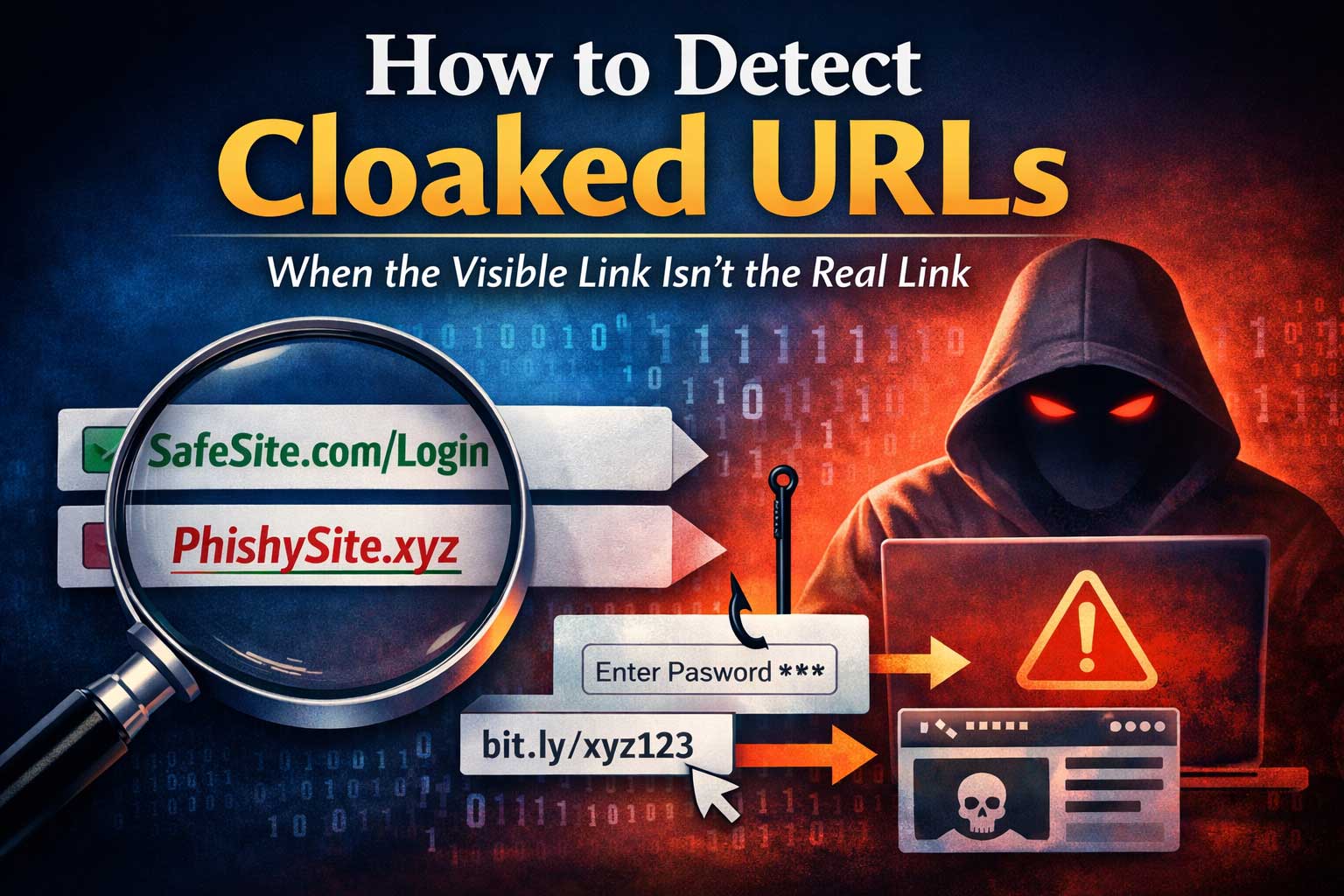
Cloaked URLs are one of the oldest tricks on the internet, and they keep evolving because they exploit something simple: most people decide whether to click a link based on what they think it is. A link might look like it goes to a trusted site, a known brand, a file download, a login page, or a harmless article—yet the real destination can be completely different.
Sometimes cloaking is used for legitimate reasons such as affiliate tracking, analytics, or making long links shorter and more readable. But the same techniques are also widely used in phishing, malware delivery, ad fraud, fake giveaways, credential theft, and redirect chains that end somewhere shady. The goal of this article is defensive: to teach you how to recognize when the visible link isn’t the real link, how cloaked URLs work, and how to evaluate links safely before you click.
What “Cloaked URL” Actually Means
A cloaked URL is any link where the destination the user perceives is different from the destination the browser ultimately loads.
That mismatch can happen in many ways:
- The displayed text looks safe, but the underlying hyperlink points elsewhere.
- The link initially points to one place but immediately redirects to another.
- The link uses tracking or shorteners that hide the final destination.
- The link relies on scripts or page behavior to change where you land after clicking.
- The link uses visual deception (look-alike characters) to resemble a trusted domain.
The core idea is always the same: you are being shown one thing, but sent to another.
Why Cloaked Links Exist (Legitimate vs Malicious)
Understanding motives helps you interpret what you’re seeing.
Common legitimate uses
- Analytics and attribution: Marketers track which campaign generated a click.
- Affiliate tracking: A merchant needs to record who referred a sale.
- Link shortening for readability: Shorter links fit better in posts or print.
- A/B testing: Different visitors may be routed to different landing pages.
- Security gateways: Some organizations route clicks through scanning systems.
These can still be risky in practice, because you’re trusting an intermediate service to behave correctly and not get compromised.
Common malicious uses
- Phishing: The link appears to be a login page for a trusted service but isn’t.
- Malware delivery: The visible link looks like a document or update, but redirects to an installer.
- Ad fraud and traffic laundering: Redirect chains obscure the real origin and destination.
- Credential harvesting: Users are sent to fake pages that capture passwords or codes.
- Scams: “Prize,” “delivery,” “account locked,” or “urgent invoice” baits are common.
A key point: the technique is neutral; the intent determines the risk. Your job is not to panic at every redirect, but to learn how to assess.
How Cloaking Works: The Most Common Methods
Cloaking can happen at different layers: the page you’re viewing, the link itself, the server, and even the browser session. The more you understand the mechanisms, the easier it is to spot them.
1) Mismatched anchor text vs actual hyperlink
A link can display text like “Trusted Site Login,” but the actual clickable target is something else.
This is extremely common in:
- emails
- messaging apps
- documents and PDFs
- websites designed to mislead
What you see is not necessarily what you get.
2) URL shorteners and “vanity” redirectors
Shorteners compress a destination into a short token. You can’t see the final destination without expanding it.
Risk factors rise when:
- the shortener is obscure
- the link is shared in urgent contexts
- the destination is a login or payment page
- the message is unsolicited
3) Multi-step redirect chains
A click can pass through multiple domains before landing.
Redirect chains may be used for:
- tracking and attribution
- geo targeting
- device targeting
- filtering out bots or security scanners
Malicious actors love chains because each step hides the next.
4) Script-based redirects
Instead of a clear server redirect, a page uses browser scripts to send you elsewhere. This can happen instantly or after a timer.
Why it matters:
- it can evade simplistic scanners
- it can redirect only under certain conditions (like on mobile)
- it can build a chain dynamically
5) Meta refresh or delayed redirects
A page loads, then sends you somewhere else after a short delay. Sometimes it shows a “loading” message to look normal.
This can be legitimate (old-school page moves), but it is also common in shady ad flows.
6) Conditional cloaking (different users see different destinations)
This is one of the most dangerous forms: the destination changes depending on signals like:
- location or language
- device type (phone vs desktop)
- browser type
- whether you are logged in somewhere
- whether your visit looks automated (security tools)
This is how some scams hide from reviewers and only show the bad content to real targets.
7) Visual deception: look-alike characters and fake subdomains
Even without redirects, a link can look trustworthy while being something else.
Techniques include:
- replacing letters with similar-looking characters
- using very long subdomains to bury the real domain
- adding trusted brand names in the path or subdomain
The result: a link that “reads” as trusted at a glance.
8) Embedded links in buttons, images, or invisible overlays
The clickable area might not be what it appears. A “Download” button could hide a different link, or an invisible element might sit on top of something you intended to click.
This is more common on:
- ad-heavy sites
- fake download pages
- pop-up and push notification traps
The Threat Model: When Cloaked Links Are Most Dangerous
Not all cloaking is equal. The highest-risk situations share a few patterns:
High-risk context signals
- You’re being asked to log in, verify, or “confirm” something urgently.
- The message creates pressure: “now,” “today,” “final warning,” “limited time.”
- The link claims account issues, payments, refunds, deliveries, or security alerts.
- The sender is unexpected, unknown, or acting out of character.
- You’re being asked to enable notifications, install something, or enter a code.
High-risk destination types
- login pages
- payment screens
- file downloads
- “support” chat widgets that ask for personal info
- pages requesting one-time codes or recovery phrases
If a cloaked link points to something harmless like a blog post, risk is lower. If it points to authentication or money, raise your defenses immediately.
A Practical Mindset: “Prove the Destination Before You Trust It”
A safe approach to cloaked URLs is not to rely on gut feelings alone. Instead, use a simple rule:
Do not trust what a link looks like—verify what it does.
That doesn’t mean you need advanced tools for every click. It means having a layered process:
- quick visual checks
- safe preview checks
- deeper analysis when the situation is high-stakes
Quick Checks Anyone Can Do (No Special Tools)
These checks catch a large percentage of malicious cloaked links with minimal effort.
1) Hover preview (desktop)
On many devices, hovering shows the real target in the browser’s status area. Compare:
- what the text says
- what the hover preview shows
If they don’t match, that’s a red flag—especially in emails and messages.
Limitations: Some apps don’t show hover previews, and some malicious flows rely on redirects that won’t appear here.
2) Long-press preview (mobile)
Many mobile apps let you long-press a link to preview or copy it. Use that to inspect the real target.
Red flags to look for:
- strange or unrelated domain names
- extra-long strings that look like random characters
- heavy tracking parameters (not always bad, but a signal)
- odd words like “verify,” “secure,” “account,” “login” paired with an unfamiliar domain
3) Copy the link and inspect it in plain text
Copying lets you see the exact characters. This helps catch:
- look-alike characters
- hidden punctuation
- odd separators
- suspicious spelling
Even when it looks fine visually, the copied version might reveal tricks.
4) Read the domain from right to left (human parsing trick)
A lot of people get fooled by long subdomains. The actual registered domain is what matters most.
When you inspect a link, focus on:
- the main domain (not just a brand word somewhere in the link)
- whether the end of the domain looks correct for the organization you expect
- whether the brand name is being used as a subdomain to mislead you
This habit alone prevents many scams.
5) Watch for urgency + mismatched identity
A cloaked link paired with urgency is often malicious. Ask yourself:
- Is this request expected?
- Would this organization normally contact me this way?
- Does the sender’s identity match the content?
If anything feels off, slow down and verify through a separate channel.
Intermediate Checks: Safe Validation Without Clicking Blindly
When a link matters (logins, money, accounts), use stronger checks.
1) Use a safe “open without logging in” mindset
If you must open something, don’t do it while logged into critical accounts, and avoid entering credentials until you’ve verified the destination.
2) Check for redirect behavior before interacting
Cloaked links often bounce quickly. If you open a link and see multiple rapid loads or a “redirecting” message, treat it with caution.
3) Verify the page identity signals (but don’t overtrust them)
Identity cues can help, but they are not perfect:
- a familiar brand logo can be copied
- page design can be cloned
- certificates and lock icons indicate encryption, not legitimacy
Instead, focus on:
- whether the domain is truly the one you expect
- whether the page is asking for unusual information
- whether it forces urgency or threats
4) Look for “permission traps”
Some cloaked flows try to get you to:
- allow notifications
- install a browser extension
- enable device permissions
- download “security” tools
These are common steps in scam funnels.
Deep Dive: How to Detect Redirect Chains and Hidden Destinations
If you want to go beyond surface checks, the key is understanding what happens between the click and the final page.
Understanding redirect types (defensive view)
Server-side redirects
The server tells your browser to go somewhere else. This is common in:
- site migrations
- tracking
- shorteners
Client-side redirects
The page loads and uses browser behavior to move you:
- scripts
- refresh behaviors
- dynamic navigation changes
Client-side redirects can be used to hide behavior from simple scanners.
Why chains matter
A chain can:
- hide the final domain from the user
- create “one-time” destinations that change rapidly
- route security tools to benign pages while sending humans to scams
If you suspect cloaking, assume the visible destination is only step one.
Recognizing Cloaking Patterns in Emails and Messages
Email and chat are the biggest delivery channels for cloaked links. Here’s what to look for.
1) Display-name tricks
A message might appear to come from a trusted organization, but the real sender doesn’t match. Even if you don’t analyze headers, you can still detect mismatch in tone and request type.
2) “Document shared” or “invoice attached” bait
These often rely on links that look like a document portal but land elsewhere.
Signs:
- pressure to view immediately
- vague context (“Please review” with no details)
- unexpected file types or access prompts
3) “Security alert” bait
These are effective because they trigger fear.
Signs:
- threats of account suspension
- claims of suspicious activity without real details
- pushing you to “verify” or “reset” immediately
A safe practice is to open the official app or site manually rather than clicking.
Detecting Visual Deception: When the Link Looks Right but Isn’t
Some cloaked URLs don’t rely on redirects at all. They rely on you reading quickly.
1) Look-alike characters
Attackers may replace a letter with a visually similar character. To a human eye, it looks the same.
Defensive habits:
- copy the link and inspect carefully
- be suspicious of subtle misspellings
- treat unexpected character sets as higher risk
2) Overloaded subdomains
A link can contain many dots and long segments. People scan the first part and assume it’s the domain.
Defensive habit:
- identify the core domain (the part that actually controls the site)
- don’t trust brand words placed earlier in the link
3) Brand names in paths
Putting a trusted brand name somewhere after the first slash doesn’t make it legitimate.
Defensive habit:
- ignore the path until you’ve verified the domain itself
Cloaking on Websites: Buttons, Ads, and Click Hijacking
Not all cloaked links come from messages. Many appear on websites, especially where advertising is aggressive.
1) Fake download buttons
Common pattern:
- multiple “Download” buttons
- one real, many fake
- clicking leads to redirects, notifications, or installers
Defensive response:
- don’t click the biggest button automatically
- verify where the click goes before proceeding
- be cautious of sites that immediately prompt permissions
2) Overlay traps
A transparent element sits over real content so your click triggers an unexpected link.
Signs:
- you click one thing but something else opens
- clicks launch new tabs repeatedly
- back button behavior becomes strange
Defensive response:
- leave the page
- avoid trying to “win” against it by repeated clicking
3) Notification permission scams
A page tells you to “allow” notifications to prove you’re human or to continue.
This is a major red flag. Legitimate services rarely require notifications for basic access.
How Attackers Use Cloaking to Bypass Scanners (So You Can Defend Better)
Security tools often simulate visits. Cloakers try to detect that simulation.
They may look at:
- automation fingerprints
- missing user interaction
- known scanner behavior patterns
- unusual browser configurations
What this means for you: sometimes a link can look harmless when previewed in one environment but harmful in another. This is why multiple independent signals matter: sender context, domain legitimacy, and destination behavior.
A Defensive Workflow: Step-by-Step Link Verification
Use this workflow when a link matters.
Step 1: Classify the risk
Ask:
- Is this about accounts, passwords, money, or downloads?
- Is it unexpected or urgent?
If yes, treat as high risk.
Step 2: Verify the destination identity
Before clicking:
- inspect the underlying link (hover, long-press, copy)
- identify the real domain
- look for subtle misspellings or strange formatting
Step 3: Reduce exposure
If you must open it:
- don’t enter credentials immediately
- avoid doing it while logged into critical accounts
- watch for redirects, permission prompts, or downloads
Step 4: Confirm through a separate path
For high-stakes actions:
- navigate to the service manually using a trusted method (like an official app)
- check notifications inside your account rather than via the link
Step 5: Decide and act
If anything doesn’t match expectations, don’t proceed. Close it and verify using official channels.
This workflow is simple, but it scales well—from casual browsing to serious security concerns.
Common Red Flags Checklist (Fast Scoring)
Use these as a quick “risk score.” One red flag doesn’t always mean malicious, but multiple red flags should make you stop.
Link-level red flags
- The link text and the actual destination don’t match.
- The domain looks unrelated to the sender or brand mentioned.
- The link is unusually long, messy, or full of random characters.
- There are multiple redirects before landing.
- The destination changes depending on device or browser.
Message-level red flags
- You didn’t request the message.
- The tone is urgent, threatening, or overly emotional.
- The message is vague and avoids specifics.
- The sender identity feels inconsistent.
Page-level red flags
- It asks for credentials immediately.
- It pressures you to act fast.
- It asks for unusual information (codes, recovery data, secret phrases).
- It forces notifications or downloads.
- It contains many pop-ups, new tabs, or suspicious prompts.
Detecting Cloaked Links in Documents and PDFs
Cloaking is common in shared documents because the visible text can be edited easily.
Defensive actions
- don’t trust underlined text alone
- copy the link address from the document if possible
- treat any “sign in to view” prompt as high risk unless you confirm the domain
A frequent trap is a document that appears to be a standard share notification, but the link leads to a fake login.
Social Media and Cloaked URLs: The “Trust Transfer” Trap
Social platforms create a false sense of safety because content appears in a familiar feed.
Cloaked links thrive on:
- short attention spans
- impulse clicking
- influencer trust
- viral urgency
Defensive habit:
- slow down for any link that requests a login, claims prizes, or pushes downloads
Even if a friend shared it, their account might be compromised.
Cloaked Affiliate Links: How to Tell Normal Tracking from Risky Masking
Affiliate links often involve redirects. The question is: when is it normal, and when is it suspicious?
Normal affiliate patterns
- consistent destination to a known merchant
- minimal redirect steps
- no unexpected permissions or downloads
- content context matches the link
Risky masking patterns
- destination changes frequently
- unrelated domains in the chain
- landing pages that don’t match the promise
- aggressive pop-ups, fake updates, or notification traps
A practical approach: affiliate tracking is fine; unfamiliar intermediaries and strange behavior are not.
How Organizations and Teams Should Handle Cloaked URLs
If you manage a website, a team, or customers, you need process—not just personal caution.
1) Establish “no direct click” rules for critical actions
For finance, admin access, and account changes:
- require users to navigate manually or via bookmarks
- discourage performing sensitive actions from links in messages
2) Train teams on the domain-first habit
Teach everyone to identify the real domain and ignore the rest until the domain is verified.
3) Use internal reporting channels
Make it easy to report suspicious links without shame or blame. People hide mistakes when they fear punishment, and that makes incidents worse.
4) Monitor brand impersonation patterns
Scams often reuse the same themes and templates. Tracking them helps you warn users early.
What to Do If You Already Clicked a Cloaked Link
Clicking isn’t automatically catastrophic. What matters is what happened next.
If you clicked but did not enter information
- close the page
- avoid interacting with pop-ups or prompts
- watch for any unexpected downloads or new tabs
If you entered credentials or sensitive info
- change the password immediately using the official service path (not the link)
- enable stronger login protection if available
- review recent login activity and account settings
- be alert for follow-up messages (attackers often try again)
If something was downloaded or installed
- don’t run unknown installers
- remove suspicious browser extensions
- consider getting help from a trusted, knowledgeable person if you’re unsure
The most important thing is to switch from panic to process: secure the account through official access paths.
Building Long-Term Immunity: Habits That Stop Cloaked URL Attacks
You don’t want to analyze every link forever. The goal is to build habits that catch most threats automatically.
Habit 1: Domain-first thinking
Train yourself to look for the true domain controlling the site.
Habit 2: Separate path verification
For logins and payments, don’t use inbound links. Navigate independently.
Habit 3: Low trust for urgency
Urgency is a common manipulation tactic. Slow down when you feel rushed.
Habit 4: Treat downloads as high risk
Downloads are one of the fastest ways to turn a click into a device problem.
Habit 5: Don’t grant permissions casually
Notification and extension prompts are frequently abused. Deny by default.
Summary: Detecting Cloaked URLs Without Becoming Paranoid
Cloaked URLs succeed because they exploit assumption: we assume what we see is where we’ll go. The defense is not fear—it’s verification.
To detect cloaked links reliably:
- Compare visible text to actual destination.
- Identify the real domain, not just familiar words.
- Watch for redirect chains, permission traps, and unexpected downloads.
- Treat account, payment, and login links as high-stakes.
- Verify critical actions through official paths instead of clicking inbound links.
Cloaking techniques will keep changing, but these principles stay effective because they target the attacker’s core advantage: your attention. When you slow down and verify the destination, you take that advantage away.