How to Spot Lookalike Domains (Fake Sites) and Avoid Online Traps
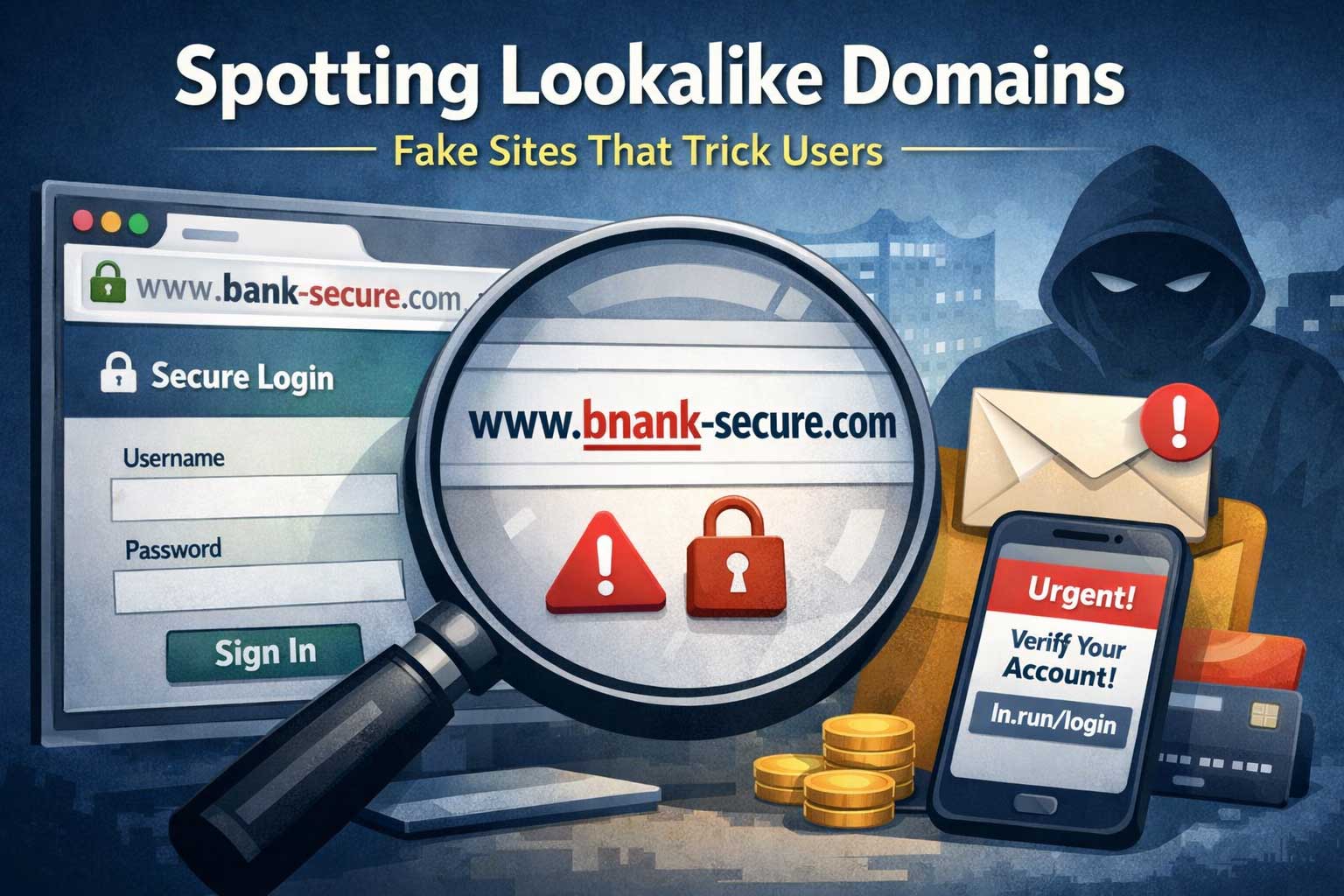
Lookalike domains are one of the simplest, most effective tools scammers use to steal logins, money, and personal information. They work because people don’t read addresses carefully—especially on mobile, in a hurry, or when they feel pressure from a message that looks urgent. A fake site can appear identical to a real one: the same logo, colors, layout, and even copied text. The only obvious difference might be the website address, and even that difference can be incredibly subtle.
This article teaches you how to spot lookalike domains with confidence. You’ll learn the most common tricks used to create convincing fake sites, how to check an address quickly, how to verify a site more deeply when it matters, and what to do if you suspect you’ve been targeted. You’ll also get practical guidance for site owners who want to protect their brand and users from domain impersonation.
Why Lookalike Domains Work So Well
Lookalike domains succeed because they exploit normal human behavior and modern browsing habits.
People scan instead of reading
Most users glance at the beginning of an address and assume the rest is correct. If they see a familiar brand word somewhere, they mentally “autocomplete” the rest as safe.
Mobile screens hide details
On phones, browsers often display fewer characters of the address. Long addresses get truncated, and the most important part might be out of view unless you tap the address bar.
Stress and urgency reduce accuracy
Scams often arrive through “urgent” messages: account locked, suspicious activity, payment failed, delivery problem, security alert. Under pressure, people click quickly and type credentials without verifying.
Visual design is easy to copy
A scammer can copy the look of a real site in minutes. The website address becomes the primary clue.
Modern login flows create trust
Single sign-on, one-time codes, and branded login pages can feel official. Scammers copy these flows and rely on familiarity to keep you moving forward.
Lookalike domains target the exact moment when your attention is weakest: right before you sign in, pay, or enter private information.
What “Lookalike Domain” Really Means
A lookalike domain is a website address designed to resemble a legitimate one closely enough to confuse users. The resemblance might be based on spelling, characters, structure, or placement of brand words.
A key detail: the domain is not the same as the entire address line. Many people confuse the domain with the whole string of text they see. Understanding the parts matters because scammers use that confusion.
The core parts you must recognize
- Brand domain (registered domain): The “main identity” of the site. This is the part the owner registered.
- Subdomain: A label placed before the main domain. It can contain any words and does not prove ownership.
- Path and page names: Everything after the domain. Easy to fake and irrelevant for trust.
- Parameters: Extra text often used for tracking. Scammers use it to add believable “case numbers” or “security tokens.”
If you learn to identify the registered domain reliably, you can defeat most lookalike tricks instantly.
The Most Common Lookalike Domain Tricks and How to Detect Them
Scammers rarely rely on just one trick. The most convincing lookalike domains combine multiple tactics: spelling changes, confusing structure, and urgent messaging.
1) Typos and “Near-Miss” Spelling
This is the classic technique: a domain that looks almost right but has one small difference.
Common variations include:
- Missing a letter
- Adding an extra letter
- Swapping two letters
- Replacing a letter with a nearby keyboard letter
- Using double letters where the real domain has one, or the reverse
How to detect it fast
- Slow down and read the brand part letter-by-letter.
- Look for repeated letters and swapped letter order.
- If the brand looks “off” in any way, assume it’s a trap until proven otherwise.
Why it works
Your brain recognizes shapes and patterns more than exact spelling, especially with familiar words.
2) Extra Words Added to the Brand
Scammers add words that imply legitimacy, security, or official status.
Examples of “trust-bait” words:
- secure, verification, support, login, account, billing, update, portal
- official, service, help, customer, confirm, alert
- regional words like country or city names
How to detect it fast
- Treat extra words as a warning, not reassurance.
- Real companies rarely need to add “secure” or “official” into the registered domain to prove legitimacy.
Why it works
These words lower your skepticism. They’re chosen to make you feel safe and urgent at the same time.
3) Hyphens and Separators
Hyphens can make a domain appear more “readable,” and that readability can trick you into assuming it’s official.
How to detect it fast
- Consider hyphens in a brand domain suspicious unless you already know the company uses them.
- Don’t trust a domain just because it visually resembles the brand name when split by hyphens.
Why it works
Hyphens help scammers mimic multi-word brand identities and make near-miss domains look intentional rather than fake.
4) Different Top-Level Domain Endings
A brand might use a popular domain ending, but scammers register the same name under a different ending.
This is especially effective because many users ignore the ending entirely.
How to detect it fast
- Learn the exact ending used by a service you use often.
- If you’re asked to sign in or pay and the ending is unfamiliar, stop and verify through a trusted method.
Why it works
People recognize the brand word and assume the rest is standard.
5) Subdomain Deception
This is one of the most dangerous tricks because it exploits how addresses are read.
A scammer can place the real brand name in a subdomain and hide the actual domain later in the address line. To many users, it looks official at a glance.
Key rule
- The subdomain can say anything. It does not prove ownership.
- What matters is the registered domain, not the words at the beginning.
How to detect it fast
- Tap the address bar and identify the registered domain.
- Ignore the “pretty” words before it. Focus on the actual domain identity.
Why it works
Humans read left to right and stop when they see a familiar brand word.
6) Character Lookalikes (Homoglyph Attacks)
Some characters from different alphabets can look almost identical to common Latin letters. Scammers use these to create domains that appear correct to the human eye.
Examples of visual confusion:
- Letters that resemble each other closely
- Characters with subtle marks that are hard to spot
- Mixed scripts that look normal in many fonts
How to detect it fast
- If a domain looks correct but your browser behaves strangely, treat it as suspicious.
- Use a password manager: it typically won’t auto-fill on a different domain, even if it looks identical.
- Copying and pasting the domain into a safe note can sometimes reveal odd characters (you may notice the spelling isn’t what you thought).
Why it works
Humans are not trained to distinguish mixed alphabets in tiny address bars.
7) “Shortened Display” Tricks on Mobile and in Apps
Some apps and embedded browsers show only part of the address or present it in a way that hides important details.
Common situations:
- Social media in-app browsers
- Messaging apps that preview a page inside the app
- Ads opened in an embedded view
How to detect it fast
- Open important sign-in or payment pages in your main browser rather than inside an app.
- Expand the address bar fully and inspect the registered domain.
Why it works
When the UI hides the true address, scammers gain an advantage.
8) Fake Login Overlays and “Pop-In” Windows
Sometimes the domain itself is not the only issue. Scammers can present a login box that appears to belong to a trusted service, even if it’s actually hosted elsewhere.
How to detect it fast
- If a site unexpectedly asks you to log in again, stop and verify.
- Use your password manager’s domain matching: no auto-fill is a major warning sign.
Why it works
Users are conditioned to accept login prompts as normal interruptions.
9) Redirect Chains That Hide the Final Destination
A link might appear safe at first, then bounce through several redirects and land on a lookalike domain.
How to detect it fast
- After a page loads, check the address bar again.
- Do not trust the original message’s link text or preview. Only trust the domain you actually ended up on.
Why it works
Many people verify only before clicking, not after the page loads.
The 30-Second Check Before You Log In or Pay
When the stakes are high—passwords, money, identity verification—you need a quick routine you can do every time. This routine is intentionally simple.
Step 1: Pause and re-read the domain
Slow down and read the brand part carefully. If you catch yourself thinking “it looks right,” that’s a sign to check more closely.
Step 2: Identify the registered domain
Ignore anything that looks like a folder or page name. Ignore subdomains. Locate the actual domain identity.
Step 3: Look for subtle spelling, extra words, and unusual structure
Be suspicious of:
- extra words added to the brand
- hyphens you don’t recognize
- slight misspellings
- unusual endings
Step 4: Confirm using a trusted entry point
Instead of continuing from the message or ad:
- type the official site yourself (from memory, if you truly know it)
- use a bookmark you created previously
- use an official app you already installed
- use a password manager vault entry to open the site
This routine is fast. It prevents most credential theft attempts.
Deep Verification When It Really Matters
Sometimes you need more than a quick check—especially for banking, investments, business dashboards, admin panels, or anywhere personal data is stored.
Use a password manager as a domain detector
Password managers are not just for convenience. They are powerful anti-phishing tools because they match credentials to a specific domain.
If your password manager refuses to auto-fill on a page where it normally would, treat that as a serious red flag. It often means:
- you’re on a different domain
- you’re in an embedded page
- the page is a copycat
Check the site’s behavior, not only its appearance
Lookalike sites often behave differently even when they look identical. Watch for:
- unusual delays or repeated loading spinners
- multiple login prompts in a row
- errors after entering correct credentials
- requests for extra information that the real site does not ask for
Scammers sometimes capture your credentials, then forward you to the real site so you think the login succeeded normally.
Validate the workflow and security signals
A legitimate service typically has consistent patterns:
- consistent wording and tone
- consistent navigation and footer structure
- consistent account recovery options
- consistent multi-factor prompts if you have them enabled
Lookalikes frequently have:
- missing pages
- dead buttons
- inconsistent capitalization
- broken layout on some devices
Treat “security” branding as neutral
A lock icon and encrypted connection do not prove legitimacy. Many fake sites use encryption too. Encryption only means your connection to that site is protected from interception; it does not mean the site is the real brand.
Prefer direct navigation over “reactive clicking”
Reactive clicking means you follow a link because a message told you something urgent. This is exactly when you’re most likely to be tricked.
Instead:
- open the known site in your browser
- log in there
- check alerts or messages inside your account
This breaks the scammer’s flow.
Red Flags in Content and Design That Often Signal a Lookalike
A sophisticated lookalike can copy a site’s visuals, but it’s harder to copy everything consistently. Look for cracks.
Language quality and formatting inconsistencies
Common signs include:
- awkward phrasing that feels slightly “off”
- inconsistent punctuation or spacing
- mixed spelling styles
- headings that don’t match the brand’s usual tone
A major brand can still make mistakes, but a cluster of small mistakes is suspicious.
Aggressive urgency and fear
Lookalike pages often push:
- “act now”
- “your account will be closed”
- “final warning”
- “verify immediately”
- “unauthorized access detected”
Real services do send alerts, but they rarely force you to act through a single embedded link, and they usually allow you to verify by logging in normally.
Strange requests for sensitive information
Be extremely cautious if a page asks for:
- full password plus one-time code at the same time
- recovery codes
- full card details in a context that doesn’t match your activity
- identity details not normally required for the action you’re taking
Scammers want maximum value quickly.
Payment methods that feel unusual
Lookalike shops and checkout pages often steer you toward payment methods that are hard to reverse. A legitimate business usually offers standard, familiar methods with consistent branding and clear receipts.
Missing support credibility
A real service typically provides:
- structured support options
- clear policy pages
- consistent branding across help flows
Fake sites often have:
- generic “contact us” forms only
- vague addresses and unrealistic claims
- empty social proof sections
- copied reviews that feel repetitive
Where Lookalike Domains Most Commonly Appear
Knowing the delivery channels helps you stay alert in the right places.
Common triggers:
- security alerts
- invoice or payment messages
- account verification prompts
- “unusual login” warnings
A common pattern is a message that looks official but pushes you to “confirm” or “restore access.”
SMS and messaging apps
Short messages create urgency and hide context. People are more likely to tap without thinking.
Social media direct messages
Impersonation is common: fake customer support accounts, fake sponsorship offers, fake brand partnerships.
Online ads and sponsored results
Ads can be abused, and lookalike sites sometimes appear as promoted listings. Never assume “sponsored” equals safe.
QR codes
QR codes can hide the destination. You may not see the domain until after the page opens.
Best practice: after scanning, verify the domain in the address bar before entering anything.
Device-Specific Tips: Desktop vs Mobile
On desktop
You usually have more space to view the full address. Use it.
- Click the address bar to reveal the full domain
- Be cautious with multiple tabs and pop-ups
- Watch for fake browser UI elements inside the page itself
On mobile
Mobile is higher risk for lookalike domains because:
- addresses are truncated
- in-app browsers obscure details
- copycat design looks more convincing on small screens
Safer habits on mobile:
- open sensitive pages in your main browser
- use a password manager to auto-fill only on the correct domain
- avoid logging in from links in messages; navigate directly instead
What to Do If You Think You Visited a Lookalike Domain
If you suspect a page is fake, act quickly but calmly. You want to limit damage without creating more risk.
If you did not enter anything
- Close the page.
- Do not interact further.
- Clear the tab and move on.
- If it was opened from an email or message, mark it as suspicious in that platform if possible.
If you entered a password
- Change the password immediately on the real site (by navigating there directly, not via the suspicious page).
- Enable multi-factor authentication if you haven’t already.
- Sign out of other sessions if the service offers it.
- Check account activity for unfamiliar logins, devices, or changes.
- Change the password anywhere else you reused it. Reuse is the fastest path from one mistake to many account takeovers.
If you entered payment information
- Contact your payment provider using their official support channels.
- Monitor transactions closely.
- Consider freezing or replacing the card if advised.
- Watch for follow-up scams: after one successful trick, scammers often try again with “support” impersonation.
If you downloaded something
- Run a reputable security scan.
- Remove anything you installed that you don’t recognize.
- Watch for unusual device behavior: pop-ups, battery drain, new permissions, unknown apps.
The most important part is to act through trusted entry points and not through any links or contact details provided by the suspicious page.
For Organizations and Website Owners: Reducing Lookalike Domain Risk
If you operate a service, lookalike domains aren’t just a user problem—they can become a brand, support, and revenue problem. Even a small phishing wave can overwhelm customer support and damage trust.
Register strategic domain variations (defensive registration)
You can’t register everything, but you can cover:
- the most common misspellings of your brand
- the most dangerous variations (short forms and common typing errors)
- common regional versions if relevant to your user base
The goal is not perfection. It’s to remove the easiest opportunities.
Maintain consistent, strong login patterns
Users learn habits. Consistency helps them detect fake flows.
Helpful patterns include:
- stable login page wording and layout
- predictable account recovery steps
- clear, consistent multi-factor prompts
- warnings displayed inside the account, not only through email links
Use email authentication and brand indicators
Attackers often combine lookalike domains with email impersonation.
Strong email setup helps reduce successful delivery of fake messages, including:
- sender validation controls
- domain alignment policies
- consistent branding signals in verified environments
Even with strong email protection, some messages will still get through, so user education remains essential.
Monitor for impersonation attempts
Brand monitoring can include:
- watching newly registered domains similar to yours
- monitoring search ads that misuse your brand name
- tracking user reports for suspicious login pages and fake support messages
Early detection turns a major incident into a minor one.
Make reporting easy for users
A simple “report phishing” option inside your product reduces time to detection. Provide clear guidance:
- what to screenshot
- what details help you investigate
- reassurance that reporting is safe and helpful
Build “anti-phishing friction” into sensitive actions
For actions like changing payout details, email address, password, or recovery options:
- require step-up verification
- notify users via multiple channels
- delay the final action when possible, allowing a cancel window
This reduces damage even when credentials are stolen.
Prepare a takedown and response playbook
When a lookalike domain targets your users, speed matters. A playbook should include:
- how to confirm the fake domain
- how to collect evidence safely
- who to contact at hosting and domain providers
- how to notify users without spreading panic
- how to update support teams with scripts and FAQs
A calm, consistent response protects trust.
Practical Checklists
Checklist for everyday users
Use this before signing in, paying, or entering personal details:
- Pause and read the domain carefully.
- Ignore subdomains and page names; find the registered domain.
- Watch for small spelling changes, extra words, and unusual structure.
- Use a bookmark or type the known site yourself instead of clicking from messages.
- Rely on a password manager: no auto-fill is a warning sign.
- If anything feels off, stop and verify through official channels.
Checklist for teams and businesses
Use this to reduce lookalike domain success:
- Maintain consistent login and recovery flows.
- Enforce multi-factor authentication for admins and high-risk actions.
- Monitor for domain impersonation and suspicious ads.
- Provide in-product reporting for phishing.
- Train support teams to recognize lookalike patterns quickly.
- Have a documented response process and escalation path.
Common Situations That Look Suspicious but Can Be Legitimate
Not every “weird-looking” domain is a scam. Some legitimate cases include:
- regional domains used for specific countries or languages
- separate domains for help centers or community forums
- dedicated domains for payment processors or identity verification providers
- short domains used by a company for marketing campaigns
The difference is verification: legitimate variations are usually documented in official communications inside the user’s account, in official apps, or through established support channels. When in doubt, navigate to the main site you already trust and work from there.
Key Takeaways for Spotting Lookalike Domains
Lookalike domains are designed to exploit quick scanning, small screens, and urgent emotions. You can protect yourself by focusing on one skill: identifying the registered domain and verifying it through trusted entry points.
If you remember nothing else, remember this:
- Brand words in the beginning of an address do not prove ownership.
- A lock icon does not prove legitimacy.
- Your safest move is direct navigation, bookmarks, and password manager verification.
With a consistent routine—pause, read, identify the true domain, verify through trusted paths—you can shut down most lookalike domain scams before they start.