Short Link Expander: Best Ways to Unshorten URLs Instantly (Safe & Accurate)
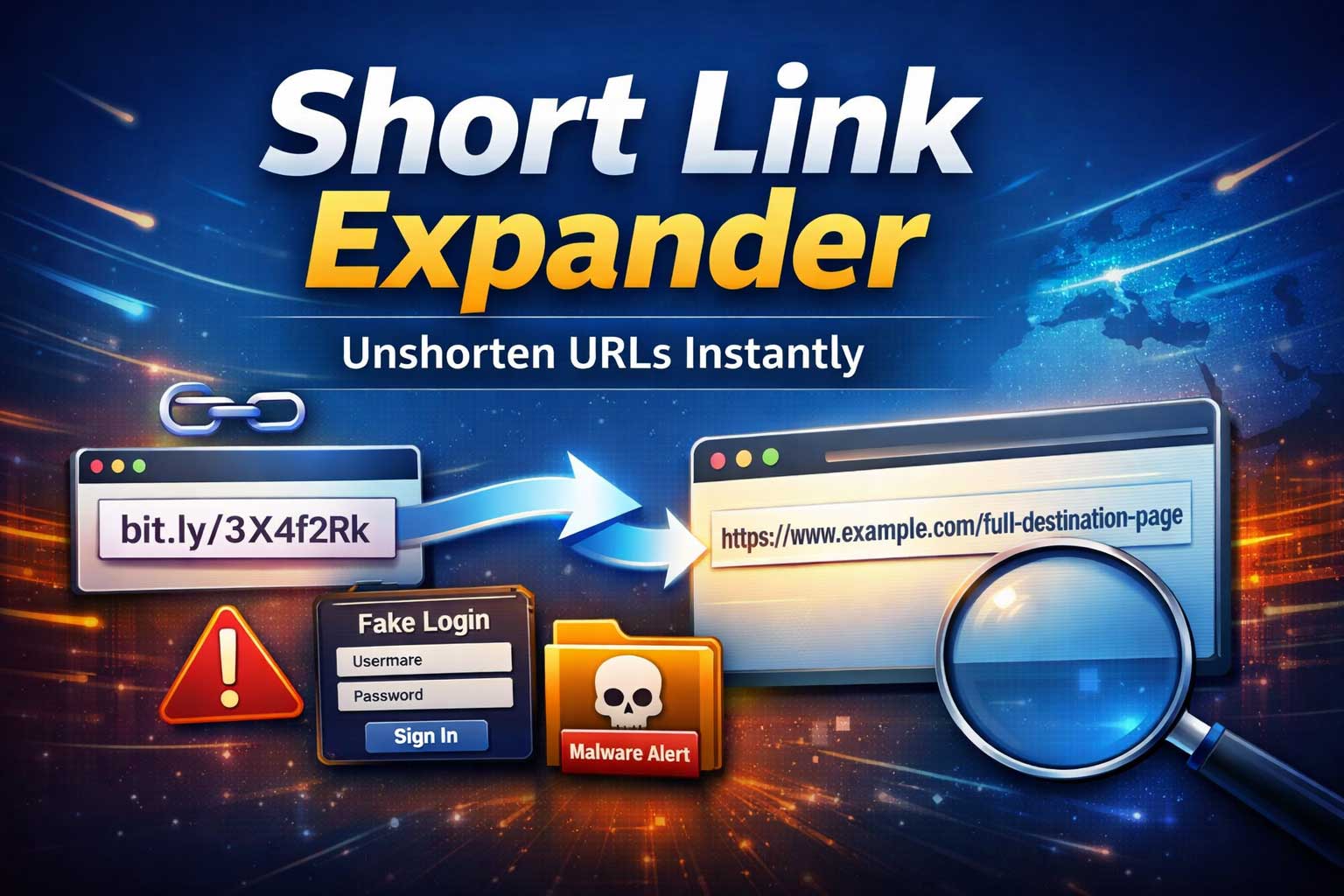
Shortened links are everywhere: in text messages, social posts, emails, QR codes, chat apps, and even printed flyers. They’re convenient because they look clean and compact, but that same convenience creates a problem: you often can’t tell where the link really goes.
That’s exactly what a short link expander (also called an unshortener or short URL expander) is for. It reveals the true destination behind a shortened link before you open it, helping you avoid scams, confirm legitimacy, and understand what you’re clicking.
This guide goes deep. You’ll learn how short links work, why they can be risky, and the best instant ways to unshorten them across devices. You’ll also learn how to interpret what you see after expanding a link, including multi-hop redirect chains, tracking parameters, app deep links, and tricky edge cases that make some short links harder to expand.
What Is a Short Link Expander?
A short link expander is a tool or method that takes a shortened URL and reveals its final destination (and often the redirect steps in between) without forcing you to fully open the destination page.
Think of it like reading the label before you drink something. Instead of trusting the tiny, unfamiliar short link, you expand it first to see the real “ingredients”:
- The real destination domain and path
- Whether it uses multiple redirects
- Whether it includes tracking parameters
- Whether it’s trying to send you to an app, download, or login page
- Sometimes, additional safety signals (like risk flags or content type)
Some expanders are standalone tools. Others are built into browsers, security software, messaging apps, or enterprise systems.
Why People Shorten URLs in the First Place
Not every short link is suspicious. Short links are widely used for practical reasons:
1) Clean presentation
Long URLs can look messy in posts, slides, or printed materials. Short links are easier to read and type.
2) Character limits and formatting
Some platforms limit text length or wrap long links badly. Short links keep messages neat.
3) Tracking and analytics
Marketers and product teams use short links to track clicks, geography, devices, and campaigns.
4) Easy sharing and memorability
Short links are quicker to copy, paste, and share verbally.
5) Link management
Some services let you change the destination later without changing the short link itself, which is useful for campaigns or rotating content.
All of that is legitimate. The problem is: the same features that help legitimate users also help attackers.
Why Shortened Links Can Be Risky
When you can’t see the destination, you lose an important security checkpoint. That opens the door for:
Phishing and fake logins
Attackers can hide a destination that looks like a trusted service, prompting you to enter credentials.
Malware and unwanted downloads
A short link can lead to a file download, a drive-by exploit attempt, or a “support” scam.
Tracking and privacy leakage
Some links include heavy tracking parameters, unique identifiers, or cross-site redirectors that reveal who you are and where you came from.
Misleading redirects
A short link can bounce through multiple systems before reaching a final destination, making it harder to verify.
Context manipulation
In chats and posts, a short link can be presented as one thing while actually going somewhere else.
Expanding a short link first is one of the simplest safety habits you can build, and it takes seconds once you know the best methods.
How Short Links Work (In Plain English)
Most short links work through redirects. When you click a short link, you aren’t taken directly to the final page. Instead:
- Your browser requests the short link
- The shortener responds with an instruction to go somewhere else
- Your browser follows that instruction
- Sometimes it repeats across multiple hops until you reach the final page
The most common redirect types
Server-side redirects
- Often used for standard link shortening
- Typically fast and reliable
- Usually happens before the page loads any visible content
Client-side redirects
- The short link loads a page that then redirects using page instructions
- Can use scripted redirection
- Sometimes used for tracking, device detection, or “please wait” pages
Conditional redirects
- Destination changes based on device type, location, language, time, or user agent
- Example: sending mobile users to an app store while desktop users go to a website
- Expanding can become trickier because different conditions produce different results
Why this matters for unshortening
A good expander doesn’t just show one result; it helps you understand:
- Whether the redirect chain is simple or complex
- Whether it’s stable or conditional
- Whether the destination changes depending on your environment
What “Unshortening” Actually Means
When people say “unshorten a URL,” they usually mean one of these:
- Reveal the final destination (what you would land on after all redirects)
- Reveal the redirect chain (every step along the way)
- Extract the “real link” embedded inside (some short links contain an encoded destination)
The best approach depends on why you’re expanding the link:
- If you want quick safety confirmation: final destination might be enough
- If you’re investigating risk or suspicious behavior: you want the full chain
- If you’re troubleshooting campaign tracking: you want the chain and parameters
Best Ways to Unshorten URLs Instantly (No Guesswork)
Below are the most effective methods, from fastest everyday options to deeper verification approaches. You can mix and match depending on your situation.
Method 1: Use Built-In Link Previews in Messaging Apps and Social Platforms
Many chat apps and social platforms generate a preview card when a link is pasted. This preview often reveals clues:
- The page title
- The site name
- A thumbnail image
- Sometimes a more readable domain display
When this works well
- You’re in a conversation and want quick confirmation
- You suspect the link is misleading
- You want a “first impression” of the destination
Limitations
- Previews can be missing or disabled
- Some attackers craft pages to show deceptive titles
- Preview generation may follow redirects differently than your browser
- Some platforms strip or alter tracking parameters
Best practice: Treat previews as a hint, not proof. If you need certainty, use a dedicated expansion method too.
Method 2: Hover Preview on Desktop Browsers (Fastest Low-Effort Check)
On desktop, one of the simplest checks is to hover your mouse over the link (without clicking) and look at the status bar preview.
What you’ll learn
- Whether the link is clearly shortened or already direct
- Sometimes the initial redirect domain
- Whether it’s trying to open a file, download, or odd path
Why it helps
It’s instant. You don’t need to copy, paste, or open anything.
Limitations
- You often only see the short link itself, not the final destination
- Some apps don’t show a status preview
- Not reliable for multi-hop chains
Still, hovering is a great first filter: it helps you decide whether the link needs deeper inspection.
Method 3: Copy the Link and Expand It Using a Short Link Expander Tool
This is the most common and reliable “instant unshorten” approach.
How it typically works
- You copy the short link
- Paste it into an expander
- The tool fetches the redirect response and reveals the destination
- Good tools also show the chain of redirects
What makes a good expander
Look for these capabilities:
- Shows the final destination clearly
- Shows the redirect chain hop-by-hop
- Displays redirect types (server-side vs client-side)
- Handles multiple shortener providers
- Detects loops (links that redirect in circles)
- Flags suspicious patterns (excessive hops, mismatched domains, odd file types)
- Offers privacy-friendly expansion (doesn’t load trackers or execute scripts)
When to use this method
- You received a link in an email or message and want safety confirmation
- You’re dealing with a short link from an unknown sender
- You want the destination without opening the page in your browser
Key safety note
An expander should ideally “follow redirects” without executing page scripts. If a tool fully renders pages like a browser, it can accidentally load risky content. Prefer expanders that analyze redirect headers and chain logic rather than fully browsing.
Method 4: Use Browser Isolation or a Sandbox for Suspicious Links
If a link feels risky but you still need to check what it is (for example, IT support, moderation work, or verifying a report), a safer approach is to open it in an isolated environment.
What isolation achieves
- Prevents the link from accessing your main device environment
- Helps reduce risk of drive-by issues
- Limits persistence and cross-site tracking
Common isolation approaches
- A dedicated sandbox browser environment
- A virtual machine used only for testing
- Enterprise browser isolation products
- A separate device that contains no personal accounts
When this is worth it
- You suspect phishing or malware
- You must investigate a link for work or moderation
- The link looks like it leads to a login page or download
- The redirect chain is unusually long or obfuscated
Isolation isn’t always “instant,” but it’s one of the safest methods when risk is high.
Method 5: Expand Through Security Tools (Email Protection and Endpoint Security)
Many security solutions expand and analyze links automatically. If you’re using:
- Email security gateways
- Endpoint protection suites
- DNS filtering or secure web gateways
- Corporate browsing policies
…you may already have a link expansion layer working behind the scenes.
What these tools can do
- Expand the short link
- Compare the destination against threat intelligence
- Block known malicious destinations
- Warn you about impersonation, phishing, or suspicious redirects
- Analyze the page in a secure scanning environment
Best use case
If you’re protecting a team or organization, automated expansion plus risk scoring is the best baseline. It scales, and it removes the burden from each person.
Method 6: Use “Redirect-Aware” Network Checking (Deeper Technical Method)
If you want a deeper, more accurate understanding of what a short link does, you can use a redirect-aware approach that inspects the redirect behavior without fully browsing the destination.
This typically involves:
- Requesting the short link
- Reading the redirect instruction
- Recording the next step
- Repeating until it ends or loops
Why this is powerful
- You can see every hop
- You can detect suspicious bounce chains
- You can identify trackers, affiliate hops, and cloaking behavior
- You can compare results from different devices or conditions
Limitations
- Requires technical tooling
- Some destinations behave differently when they detect automated requests
- Client-side redirects may require additional analysis
Even if you’re not doing this manually, it’s useful to understand what high-quality expanders are doing under the hood so you can choose better tools and interpret results correctly.
Method 7: Expand QR Code Links Before Opening Them
QR codes are basically “physical short links.” You can’t see the destination until you scan.
Safer QR handling
- Use a scanning app that shows the link before opening
- Do not auto-open the scanned result
- Expand the scanned link using an expander method if it’s shortened
Why QR links can be risky
- QR codes can be replaced on posters, menus, or public areas
- People trust printed materials more than random messages
- Attackers often aim for payment pages, fake forms, or credential prompts
If you treat QR scans like unknown short links, you’ll avoid a lot of common traps.
How to Read an Expanded Link Like a Pro
Unshortening is step one. Step two is interpreting what you see.
Here’s what to check after expansion.
1) The Destination Domain Must Match the Context
Ask: does the destination match what the sender claimed?
- If someone says “here are the meeting notes,” but the destination is a file download or a login portal you don’t recognize, be cautious.
- If the destination looks like a brand but isn’t exactly the brand’s real domain format, be suspicious.
Watch for lookalike tricks
Attackers use:
- Slight misspellings
- Extra words inserted into the domain
- Subdomains designed to look official
- Homoglyph characters (letters that look similar)
Even without deep technical knowledge, you can do a powerful check: does the domain look exactly like what you’d expect, with no weird extras?
2) Count Redirect Hops (More Hops = More Risk)
A simple short link might have:
- One hop from shortener to destination
A suspicious link might have:
- Multiple hops across unrelated domains
- Tracking systems chaining to other trackers
- A mix of redirects and scripted transitions
Why hop count matters
Each hop is a chance to:
- Change the destination
- Add tracking identifiers
- Cloak the final target
- Apply different rules for different users
Rule of thumb: More complexity demands more caution.
3) Identify Tracking Parameters and Unique Identifiers
Many expanded links include extra data meant for analytics. That’s common, but it can also reveal:
- Campaign source
- Ad group
- The specific message or post you clicked
- Sometimes, a unique user identifier
When tracking becomes a privacy issue
Be careful if you see patterns suggesting:
- Personal identifiers
- Very long random-looking strings
- Multiple nested trackers in a chain
If privacy matters, consider stripping non-essential parameters before sharing a link onward (only if you trust the core destination and you understand what you’re removing).
4) Watch for Login Prompts and “Verify Your Account” Patterns
A large share of malicious links aim to capture credentials.
If the expanded destination looks like:
- A login page
- A “security check”
- An account verification prompt
- A password reset flow you didn’t initiate
…pause and verify through a trusted path you control (such as opening the official app directly and navigating from there), rather than trusting the link.
5) Check Whether the Link Leads to a File Download
If an expanded link points to:
- An executable-style download
- A compressed archive
- A document that demands macros or “enable editing”
- A “codec” or “update required” prompt
Treat it as high risk unless you are absolutely sure of the source.
A safe workflow is:
- Verify the sender
- Verify the destination
- Verify the file type and context
- Use scanning tools if available
- Open only in a protected environment when uncertain
Why Some Short Links Don’t Expand Cleanly
Sometimes you paste a short link into an expander and get incomplete results. That doesn’t mean the tool is broken. It may be dealing with a tricky link type.
Here are the most common reasons.
1) The Link Uses Client-Side Redirection
Some shorteners or tracking systems load a page first and then redirect using scripted logic.
Basic expanders that only inspect server redirects may stop early because they don’t execute the script (which is usually a good thing for safety, but it can limit visibility).
Solution: Use an expander that can detect client-side redirects without fully executing risky page behavior, or use a protected analysis environment.
2) The Link Is Conditional (Device, Location, or Time-Based)
Some links redirect differently depending on:
- Mobile vs desktop
- Language settings
- Region or IP location
- Time-based campaign rules
- Whether you’re logged in to a service
Result: Two people can expand the same short link and see different destinations.
Solution: If you’re validating a link for a specific audience, test under similar conditions (device type and region) using safe methods.
3) The Link Requires Cookies, Tokens, or Session Context
Some short links are generated for one-time use or require an active session.
- Password-protected links
- Temporary invite links
- Authentication flows
- “Magic links” for login
An expander may reveal only partial information without the session context.
Solution: Verify through the service directly (not through the link), or request a standard share link.
4) The Link Has Expired or Been Disabled
Short links can be deactivated, especially for campaigns or temporary shares. An expander might show an intermediate page or an error destination.
Solution: Ask the sender for an updated link or confirm the content exists through official channels.
The Fastest “Instant Unshorten” Workflow (Practical Playbook)
If you want a simple habit that covers most situations, use this workflow:
Step 1: Don’t click immediately
Pause. Especially for links from unknown senders or surprising messages.
Step 2: Copy the link
Avoid opening it first.
Step 3: Expand it
Use a reliable expander method (tool, security layer, or technical redirect inspection).
Step 4: Inspect the destination
Confirm domain, hop count, and whether the page type fits the context.
Step 5: Decide how to proceed
- If trusted: open normally
- If uncertain: open in isolation or verify through official navigation
- If suspicious: do not open, and report or delete
This workflow takes seconds and blocks many common scams.
Best Practices for Different Scenarios
For everyday users
- Expand unknown short links before opening
- Be extra careful with messages that create urgency
- Avoid logging in via links; navigate directly when possible
- Watch for unexpected downloads or verification prompts
For creators and marketers
Short links are useful, but they can reduce trust if overused. To maintain credibility:
- Use short links consistently and transparently
- Avoid chains of trackers when possible
- Keep destinations relevant and stable
- Make sure the destination content matches the promise in the text
- Consider providing context around what the link leads to
For teams and organizations
- Use email security that expands and scans links
- Train staff on expanding unknown links
- Standardize internal link-sharing practices
- Use allowlists for trusted tools and services
- Monitor redirect behavior for corporate short links (to detect hijacks)
Choosing the Right Short Link Expander (Feature Checklist)
If you’re selecting a dedicated tool or integrating an expander into your workflow, prioritize:
Accuracy features
- Full redirect chain visibility
- Final destination confirmation
- Detection for loops and dead ends
- Support for both server-side and client-side patterns
Safety features
- No forced page rendering
- No script execution by default
- Clear warnings for suspicious file types
- Risk signals for unusual redirect behavior
Privacy features
- Minimal logging
- No unnecessary tracking of expansions
- Option to avoid loading third-party resources
- Clear policy on data retention (especially for enterprise use)
Usability features
- Works well on mobile and desktop
- Fast expansion results
- Clean presentation of the chain
- Easy copying of the final destination
Advanced: Understanding Multi-Hop Redirect Chains (And Why They Exist)
A redirect chain can be legitimate, especially in marketing and analytics. Common legitimate reasons include:
- Measuring campaign attribution
- Routing users by region or language
- A/B testing landing pages
- Load balancing and performance routing
- Affiliate tracking in commerce partnerships
But complexity also creates cover for malicious behavior.
Red flags in a chain
- Many unrelated domains
- Sudden switch to a domain that doesn’t match context
- An unexpected download step
- “Intermediary pages” that ask you to wait, confirm, or allow notifications
- Redirects that differ dramatically between environments
If you see these, treat the link as suspicious until proven otherwise.
Building Safer Habits Around Short Links
Short links aren’t going away. The goal isn’t fear; it’s awareness.
Here are habits that provide big safety gains:
1) Treat surprise links as untrusted by default
If you didn’t expect it, expand it.
2) Use official navigation for important actions
For banking, email accounts, and sensitive logins, don’t rely on links. Navigate using the official app or saved bookmarks.
3) Separate “reading” from “signing in”
It’s okay to open an article link after expanding, but don’t enter credentials unless you’re absolutely sure.
4) Teach the habit to your team or family
A simple “expand before you click” rule prevents many incidents.
5) Keep devices updated
While link expansion reduces risk, updates reduce the impact of malicious pages that exploit older software.
Troubleshooting: Common Unshortening Problems and Fixes
Problem: The expander shows a blank result
Likely causes:
- Link is dead
- The shortener is blocking automated expansion
- The link requires a session context
Fix:
- Try a different expander method
- Verify with the sender
- Use a protected environment if you must investigate
Problem: The destination changes between attempts
Likely causes:
- Conditional redirects (device, location, time)
- A/B testing
- Cloaking behavior
Fix:
- Expand from the device type you plan to use
- Compare results from different environments
- If it’s suspicious, don’t proceed
Problem: The chain is extremely long
Likely causes:
- Heavy analytics and affiliate tracking
- Misconfigured redirect logic
- Potential malicious obfuscation
Fix:
- Focus on the final destination domain
- If you can’t verify it, avoid clicking
- Consider isolation for investigation
Problem: It leads to a login page unexpectedly
Fix:
- Do not log in via that link
- Navigate to the service directly and check if the request is real
- Ask the sender to confirm context
Frequently Asked Questions
What is the safest way to unshorten a URL?
The safest approach is to copy the short link and expand it using a method that reveals redirect headers and chains without fully rendering the destination page. After expansion, verify the destination domain and be cautious if it leads to logins, downloads, or a suspicious redirect chain.
Can expanding a short link be dangerous by itself?
Usually, expansion is low risk if the tool only inspects redirect behavior. Risk increases when a tool behaves like a full browser and loads the destination content, which can trigger trackers or harmful scripts. Choose methods that focus on redirect inspection rather than page execution.
Why do some short links expand to different destinations for different people?
Some short links use conditional redirects based on device type, location, language, or time-based rules. Marketing campaigns and app deep links commonly behave this way. In malicious cases, attackers may also cloak content to show safe pages to scanners and harmful pages to real users.
What does it mean if a short link has many redirect hops?
Multiple hops can be legitimate (tracking, affiliates, routing), but it also increases risk. Each hop is an opportunity for the destination to change or for tracking to be added. If the chain looks unusually long or unrelated to the message context, treat it cautiously.
Should businesses avoid short links because they look suspicious?
Not necessarily. Short links are widely used and can be trustworthy, especially when used consistently and transparently. Businesses should keep redirect chains simple, ensure destinations match user expectations, and avoid unnecessary intermediate steps that reduce trust.
How can I tell if an expanded link is a phishing attempt?
Look for mismatched domains, subtle misspellings, unexpected login prompts, and context that doesn’t fit the sender’s message. If it asks you to sign in, verify the request by navigating to the service through official channels rather than using the link.
What if I already clicked a suspicious short link?
Close the page immediately if anything feels off, avoid entering information, and run a security scan if you downloaded anything. If you entered credentials, change your password through the service’s official app or site and enable two-factor authentication if available.
Final Thoughts
A short link expander is more than a convenience tool; it’s a safety habit. Shortened URLs hide what matters most: the destination. By expanding first, you restore visibility and control.
The best “instant unshorten” approach depends on your situation:
- For everyday safety: copy and expand, then verify the destination domain
- For higher risk: use isolation or security scanning layers
- For deeper analysis: inspect the full redirect chain and watch for conditional behavior
When you consistently expand before clicking, short links stop being a mystery and start being just another predictable part of browsing—one you can evaluate calmly, quickly, and safely.