URL Expander for SEO: Redirects, Tracking & Analytics Explained
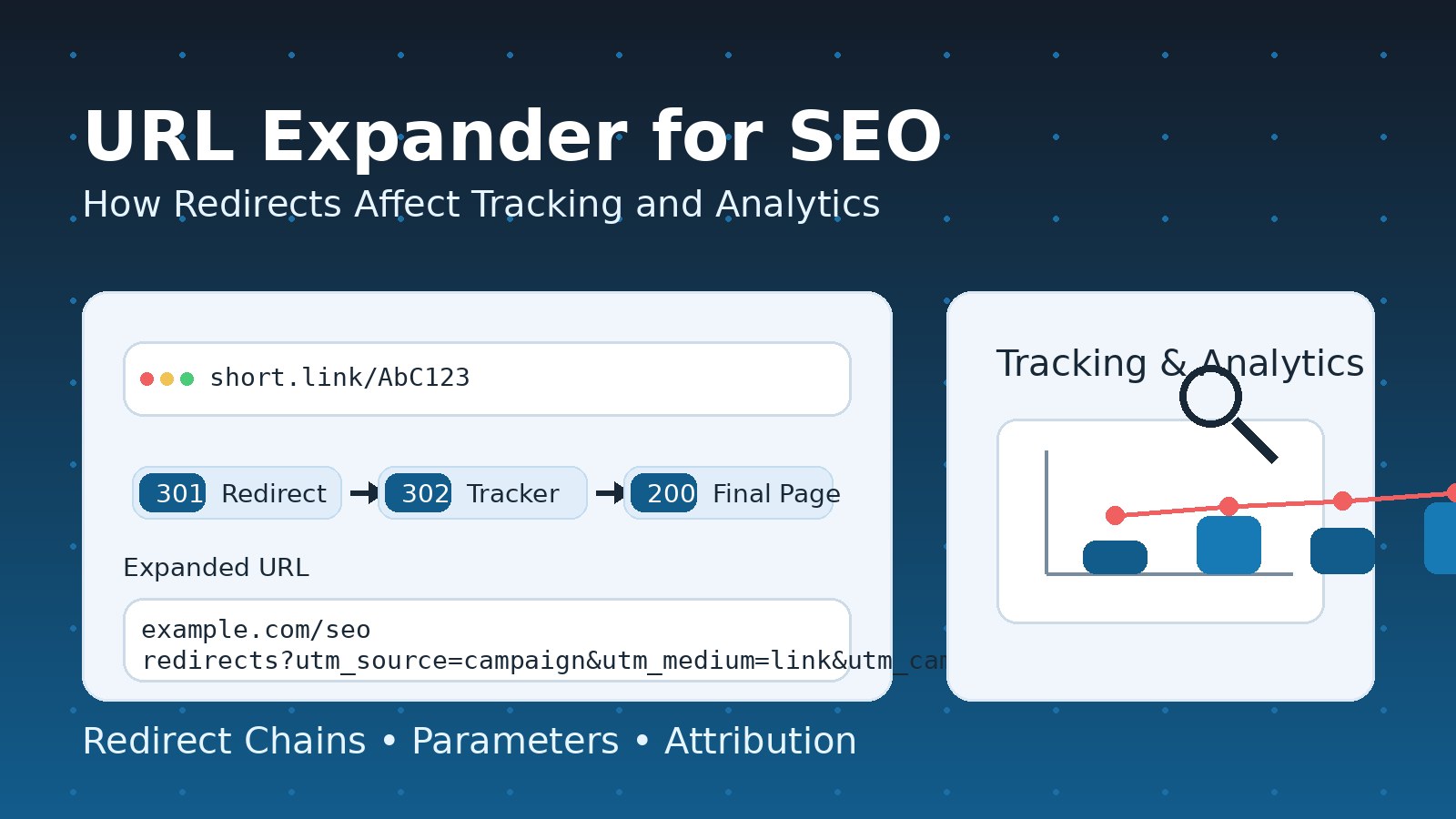
Redirects are everywhere. They power rebrands, handle moved pages, enforce secure browsing, route users to the right language, and keep marketing campaigns measurable. But redirects also change how search engines interpret your pages and how analytics platforms attribute traffic and conversions. When you add URL shorteners, tracking parameters, ad platforms, and privacy protections into the mix, a single click can pass through multiple hops before a user reaches the final destination.
That’s why a URL expander is more than a convenience tool. In SEO and analytics, it’s a diagnostic lens. It shows you where a link truly goes, how many redirects occur, what status codes are used, and whether tracking data survives the journey. If you care about rankings, crawl efficiency, campaign reporting, and conversion attribution, you need to understand what happens in the space between “clicked” and “landed.”
This article breaks down redirects from two angles:
- SEO impact: indexing, link equity, canonicalization, crawl behavior, and performance signals
- Analytics impact: referrers, parameters, cross-domain tracking, attribution models, and conversion accuracy
You’ll also learn how URL expanders help you audit redirect behavior and avoid the most common problems that silently destroy SEO value and distort reporting.
What a URL Expander Really Does
A URL expander resolves a link to its final destination by following the same redirect instructions that a browser or crawler would follow. Depending on the tool and configuration, it may:
- Follow one or multiple redirect hops
- Reveal each intermediate step (the “redirect chain”)
- Show the HTTP status code at each step (for example, permanent vs temporary)
- Display headers that influence SEO and analytics (like caching directives, canonical hints, or tracking-related headers)
- Sometimes simulate different user agents (mobile vs desktop) or request methods (HEAD vs GET)
From an SEO and measurement standpoint, the value is simple: you stop guessing. Instead of assuming a campaign link goes straight to a landing page, you can verify whether it passes through tracking domains, preview pages, affiliate hops, or a series of forced rewrites (like adding a trailing slash, enforcing a language path, or switching from non-secure to secure).
URL expanders are especially useful when links are:
- Shortened (common in social posts and messaging apps)
- Routed through ad networks or affiliate platforms
- Wrapped by email marketing click trackers
- Protected by “safe browsing” interstitials or preview pages
- Redirected by content delivery and edge security rules
- Modified by device-based or geo-based routing
Redirect Basics: The Signals That SEO and Analytics Care About
Not all redirects are equal. Search engines and analytics systems don’t just see “a redirect.” They care about:
- Status code (permanent vs temporary vs other behavior)
- Number of hops (chains add latency and risk of signal loss)
- Consistency (does every path lead to the same final page?)
- Content parity (is the final content truly the moved content?)
- Caching rules (do browsers and bots re-check the redirect, or reuse it?)
- Parameter handling (are tracking parameters preserved, dropped, or rewritten?)
- Cross-domain behavior (does the click cross domains that require special tracking setup?)
- Timing and performance (redirects can slow down the first meaningful page load)
A URL expander helps you observe these signals without needing server access or advanced tooling.
Redirect Types That Matter for SEO
Search engines interpret redirects as instructions about page identity and permanence. That interpretation affects indexing, ranking signals, canonical selection, and link equity flow.
Permanent Redirects and Their SEO Role
Permanent redirects tell search engines that the original URL has been replaced by another URL. Over time, search engines tend to:
- Transfer ranking signals from the old URL to the new URL
- Replace the old URL in the index with the new one
- Treat the new URL as the canonical destination (assuming there aren’t conflicting signals)
Permanent redirects are typically used when:
- You changed a page path or structure
- You migrated to a new domain
- You consolidated duplicate pages
- You replaced outdated content with a newer version at a new location
The biggest SEO benefit is signal consolidation. Instead of splitting authority across duplicates or dead pages, you funnel signals into one destination.
Common pitfalls:
- Redirecting to a loosely related page instead of the true replacement
- Creating a permanent redirect and later changing your mind repeatedly
- Mixing permanent redirects with conflicting canonical tags or internal links
- Forgetting to update sitemaps and internal navigation, forcing bots to crawl redirects unnecessarily
Temporary Redirects and Their SEO Role
Temporary redirects indicate the move is not permanent. Search engines often keep the original URL indexed while treating the destination as a temporary alternative. Temporary redirects are appropriate when:
- You’re running an A/B test that changes landing experiences
- You’re performing maintenance and sending users to a temporary page
- You’re temporarily routing traffic based on inventory or capacity
- You’re doing geo or language routing while still wanting a default canonical page indexed
Common pitfalls:
- Using temporary redirects for permanent site migrations
- Leaving “temporary” redirects in place for months or years
- Expecting full ranking signal transfer from a temporary redirect
Temporary redirects can be valid, but they must match intent. If you want the destination to replace the source in search results, temporary redirects usually work against that goal.
Method-Preserving Redirects and Why They Exist
Some redirects preserve the request method (important for forms and non-standard requests). While many SEO discussions focus on page loads (GET requests), method handling matters for:
- Checkout flows
- Login redirects
- API endpoints tied to web apps
- Tracking endpoints used by measurement and event collection systems
In SEO terms, these redirects aren’t usually ranking-centric, but they can affect crawlability if misused on page URLs. In analytics terms, method changes can alter how tracking requests behave and whether events fire reliably.
Meta Refresh and Script-Based Redirects
Not all redirects are server-side. Some are executed in the browser after a page loads, using:
- Meta refresh tags
- JavaScript-based navigation
From an SEO perspective, these are typically less ideal than server-side redirects because:
- They can be slower (the page must load before redirecting)
- They can be less reliable for crawlers
- They can create index confusion if the intermediate page is crawled and indexed
- They may be blocked or delayed by browser policies or extensions
From an analytics perspective, they can create double pageviews or partial sessions, especially if the intermediate page loads tracking scripts before the redirect occurs.
A URL expander may not always catch client-side redirects unless it renders the page like a browser. That’s a crucial limitation to understand: if a link “looks fine” in a simple expander but still behaves oddly in real traffic, client-side logic might be involved.
How Redirects Affect Link Equity and Rankings
Redirects influence how authority flows. But the real SEO story is not “redirects lose value” as a simple rule. The outcome depends on execution quality.
Link Equity Transfer: What Actually Matters
When a high-authority page or backlink points to a URL that redirects, search engines must decide whether the destination deserves the signals. They evaluate:
- The redirect type (permanent vs temporary)
- Relevance match (does the new page satisfy the original intent?)
- Content equivalence (is this the same resource moved, or a bait-and-switch?)
- Redirect stability (does the destination keep changing?)
- Chain complexity (how many hops exist and whether they remain consistent)
A clean, relevant, permanent redirect from old content to its true replacement is the best scenario for preserving value.
Redirect Chains and Their Hidden Costs
A redirect chain is when one redirect leads to another and another, before arriving at the final page. Chains are common during:
- Multiple rebrands over time
- CMS rule stacking (adding new rules without removing old ones)
- Marketing tracking layers added “on top” of existing routing
- Mixed enforcement (non-secure to secure, non-canonical to canonical, then language routing)
Chains are bad for SEO because they:
- Slow down crawling (bots spend time and resources following hops)
- Increase the chance that a hop fails or times out
- Risk losing signals if any hop is misconfigured
- Encourage indexing delays during migrations
Chains are bad for analytics because they:
- Increase the chance of parameter loss
- Increase the chance of referrer stripping due to cross-domain transitions
- Increase drop-off before landing (every hop is a chance for abandonment)
A URL expander helps you see chains immediately—especially when the intermediate steps are not obvious from the public link.
Redirect Loops: The Worst-Case Scenario
A loop occurs when redirects bounce between URLs in a circle. Loops can cause:
- Crawlers to stop and mark pages as unreachable
- Browsers to show errors and prevent landing
- Analytics to record strange partial hits or no hits at all
- Campaign traffic to evaporate with no clear explanation
Loops can be triggered by inconsistent rules: for example, enforcing a trailing slash in one rule and removing it in another, or conflicting language routing vs canonical enforcement.
Crawl Budget, Indexing, and Redirect Efficiency
For large sites, redirects aren’t just a “ranking signal” issue—they’re a crawl economics issue.
Why Crawl Budget Matters
Search engines allocate a certain amount of crawling attention to a site. If crawlers spend that budget on:
- Redirected pages
- Chains
- Duplicate variants (with and without parameters, slashes, case differences)
- Soft errors and loops
…then they spend less budget on your valuable content.
Redirect Hygiene Improves Crawl Quality
Good redirect hygiene includes:
- Updating internal links to point directly to the final URL
- Keeping redirect rules simple and centralized
- Removing obsolete redirects after a safe transition period (when appropriate)
- Avoiding chains by redirecting old URLs straight to the final destination
- Ensuring your sitemap lists canonical final URLs, not redirects
URL expanders are often used in audits to find where your internal links or public campaigns are accidentally pointing to old, redirected URLs.
Canonical Tags vs Redirects: How They Interact
Canonical tags and redirects are both signals about URL identity, but they serve different purposes.
When Redirects Are Better
Redirects are best when you truly want:
- Users and bots to land on the new URL automatically
- The old URL to stop being used
- A hard consolidation of signals
When Canonicals Are Better
Canonical tags are useful when:
- Multiple URLs must remain accessible for users (sorting, filtering, campaign parameters)
- You need to keep variants for functionality but want a single indexed version
- Redirecting would break user experience or application behavior
Conflicting Signals Are Dangerous
If a page redirects to a destination, but the destination page’s canonical points somewhere else, you create a signal conflict. Search engines may:
- Choose an unexpected canonical
- Delay consolidation
- Index a version you didn’t intend
- Treat the setup as inconsistent or low quality
A URL expander won’t directly show canonical tags unless it fetches page content, but it can reveal suspicious redirect patterns that often correlate with canonical confusion.
The Analytics Side: How Redirects Change Tracking Outcomes
Redirects don’t just move users. They can change what analytics tools “think” happened.
The Click Path and What Can Be Lost
Analytics systems typically build a story from signals like:
- Referrer (where the visitor came from)
- Landing page (first page recorded in session)
- Campaign parameters (source, medium, campaign name)
- Client identifiers (cookies, device IDs, session IDs)
- Cross-domain linking info
- Event timing (which scripts fired first)
Redirects can interfere with any of these.
Common losses include:
- Referrer stripping: when the transition crosses domains or protocols and the referrer is suppressed by browser rules or page policies
- Parameter loss: when a redirect rule forgets to pass through query parameters
- Session fragmentation: when intermediate pages trigger analytics before redirecting
- Attribution drift: when the final landing loses the campaign labels, causing traffic to be categorized as “direct” or “unknown”
Referrer Behavior Through Redirects
Referrer handling depends on:
- Browser privacy rules
- Whether the redirect crosses domains
- Whether the redirect is server-side or client-side
- Referrer policy headers on intermediate pages
In a clean server-side redirect chain within the same domain, referrer information usually remains intact. When you introduce cross-domain hops (common in tracking and affiliate flows), referrer loss becomes more likely—especially on modern browsers that reduce cross-site data sharing.
Tracking Parameters: Preservation vs Deletion
Campaign measurement often depends on parameters added to the landing URL. Redirect rules can:
- Preserve all parameters (ideal)
- Preserve some parameters (dangerous because it creates inconsistent reporting)
- Drop parameters entirely (common misconfiguration)
- Rewrite or rename parameters (can break analytics ingestion)
Parameter loss causes major reporting errors. You might see:
- Campaign clicks rising in ad dashboards but not in analytics
- Conversions attributed to direct traffic instead of campaigns
- Channel performance that shifts mysteriously after a redirect update
- Paid traffic appearing as organic or referral traffic
A URL expander is the fastest way to spot whether parameters survive the redirect chain—especially if it lists each hop and the request/response details.
Cross-Domain Tracking and Redirects
Cross-domain tracking is required when a user begins on one domain and completes a conversion on another. Redirects complicate this because:
- Each domain may set different cookies
- The client identifier must be passed consistently between domains
- Some browsers limit or block third-party cookie behavior
- Some redirect patterns prevent linking parameters from being appended properly
A common failure pattern looks like this:
- User clicks a tracked campaign link
- Link goes through one or more tracking domains
- User lands on a domain that doesn’t receive the tracking parameters
- User is redirected again to the checkout domain
- The checkout domain records a new session without campaign context
The result: conversions show up, but attribution is wrong.
Redirect Timing and “First Hit Wins” Problems
Many analytics setups define the landing page as the first pageview in a session. If an intermediate page loads and fires analytics before redirecting, your reports may show:
- Landing pages that are actually redirect or preview pages
- Inflated sessions and reduced conversion rates
- Skewed engagement metrics because users never “engaged” with the intermediate page intentionally
- Misleading path analysis that starts on a tracking wrapper
This is especially common with client-side redirects or “preview” pages that display a countdown. Even a very short delay is enough for scripts to fire and record events, depending on implementation.
URL Expanders in Marketing Ops: Why Campaign Teams Depend on Them
Marketing teams use URL expanders to verify that campaign links:
- Go to the correct final landing page
- Keep the right campaign labels attached
- Do not route through broken or outdated redirect rules
- Avoid unnecessary chains that slow down user experience
- Don’t accidentally trigger spam or security warnings
Common Campaign Issues a URL Expander Can Reveal
- Old destination still used after a landing page update
- Parameter stripping due to a redirect rule that doesn’t forward query strings
- Double encoding that changes parameter values and breaks analytics classification
- Forced rewrites (like adding or removing trailing slashes) that create duplicate reporting
- Cross-domain hops that require additional tracking configuration
- Accidental region routing sending users to the wrong language or currency version
- Redirect chains introduced by layered tools (email tracker + shortener + website rewrite)
When campaigns involve paid traffic, these mistakes are expensive because they hide performance reality. You might pause a good campaign because analytics underreports it, or scale a weak campaign because attribution is misassigned.
Redirects and Server Logs: The Overlooked Analytics Layer
Most teams rely on client-side analytics, but redirects are often easiest to diagnose using server logs and edge logs. Redirect responses create log entries that reveal:
- Which URLs are being requested frequently
- Which old URLs are still receiving traffic
- Which user agents are hitting redirects (bots vs humans)
- Whether redirect rates spike after a deployment
- Whether certain redirects cause high error rates
Why Server Logs Matter for SEO and Tracking
For SEO, logs show how search bots behave:
- Are bots spending time following chains?
- Are bots hitting legacy URLs you thought were retired?
- Do bots encounter errors after redirects?
- Are there spikes in crawl frequency after migrations?
For analytics, logs can confirm whether parameters are being sent to the server at all. If parameters show up in incoming requests but vanish by the time the landing page loads, the redirect layer is likely responsible.
URL expanders don’t replace log analysis, but they complement it by letting you reproduce and inspect redirect behavior quickly.
Redirects, Performance, and User Experience Signals
Redirects add latency. Even tiny delays matter at scale—especially for mobile users and in competitive search results.
Why Redirect Latency Can Hurt SEO Indirectly
Search engines incorporate user experience and performance signals in various ways. While the exact algorithms are complex, the practical takeaway is simple:
- More redirects generally means slower time to render content
- Slower time to content can reduce engagement and increase bounce
- Poor engagement can correlate with weaker performance over time
- Excessive redirect chains can reduce crawl efficiency and indexing speed
If your site enforces multiple sequential redirects (for example, protocol enforcement, host enforcement, then path rewrite), you’re adding extra round trips. Each round trip is another request and response before content appears.
The “Redirect Tax” in Campaigns
Even if SEO is unaffected, campaigns suffer:
- Every hop increases abandonment risk
- Some apps handle redirects poorly (especially in in-app browsers)
- Some privacy settings reduce referrer and parameter retention
- Some security products flag multi-hop redirects as suspicious
URL expanders help you detect the redirect tax early so you can streamline routing.
Redirects and Security: When Safety Layers Collide with Measurement
Security systems often introduce redirect-like behavior:
- Safe browsing interstitials
- Malware and phishing checks
- Anti-bot challenges
- Region-based blocking pages
- Suspicious link warnings inside social platforms
These layers can change:
- The number of hops
- Whether the destination is reached at all
- Whether tracking parameters survive
- Whether analytics scripts fire
From an SEO standpoint, security layers can also impact crawlability if bots are challenged or blocked incorrectly.
A URL expander can help you see whether a link routes through a safety page, but some security challenges require full browser execution and may not be visible in a basic HTTP-only expander.
Redirects in Common Real-World Scenarios
Let’s walk through the most common redirect setups and how they influence SEO and analytics.
Scenario 1: Site Migration to a New Structure
You restructure URLs for better taxonomy, and you redirect old pages to new equivalents.
SEO goals:
- Preserve rankings and link equity
- Move indexing to the new structure
- Minimize crawling waste
Analytics risks:
- Landing page reports may split between old and new paths if some links still hit old URLs
- Campaign links pointing to old paths may show extra redirect hops and slower loads
- If redirects drop parameters, campaign attribution breaks
Best practice:
- Redirect each old page to its closest matching new page
- Update internal links and sitemap to new URLs
- Avoid chains by redirecting straight to the final destination
- Verify parameter retention for campaign traffic
Scenario 2: Marketing Link Shortener + Tracking Wrapper + Landing Page
Marketing uses a short link, which routes through a click tracker, then lands on the site.
SEO perspective:
- Not primarily about indexing, unless these links are widely published and crawled
- Risk of search engines seeing excessive chains or suspicious patterns in public pages
Analytics perspective:
- High risk of referrer stripping
- High risk of parameter loss
- High risk of misattribution to direct traffic
Best practice:
- Keep hops minimal
- Ensure the final landing receives consistent campaign parameters
- Use first-party tracking where possible
- Confirm cross-domain setup if conversions occur on another domain
Scenario 3: Canonical Enforcement + Trailing Slash Rules + Language Routing
Your site forces a single canonical host, adds or removes trailing slashes, and routes based on browser language.
SEO risks:
- Chains can multiply quickly
- Bots may repeatedly crawl redirected variants
- Canonical confusion if signals conflict
Analytics risks:
- Landing page paths may vary across users
- Duplicate page reporting if both slash and non-slash versions appear in analytics due to intermediate hits
Best practice:
- Consolidate rules so as many adjustments happen in one hop as possible
- Standardize internal links to the canonical form
- Test common entry points and campaign parameters through the redirect logic
How Redirects Distort Attribution Models
Attribution is how analytics assigns credit for a conversion. Redirects can distort attribution by changing what the platform sees as the session source.
Last-Click Attribution Vulnerabilities
In last-click models, the last known source before conversion gets credit. Redirects can interfere when:
- Users are routed through a payment provider domain and back
- The return trip loses campaign identifiers
- A new session starts without the original source, appearing as direct
Result: paid or referral channels lose credit, and direct traffic gets inflated.
Data-Driven Models and Missing Signals
More advanced attribution models depend on a consistent chain of events. Redirect breaks can:
- Remove the campaign label at the first page
- Break user identity across domains
- Split journeys into multiple sessions
- Reduce the model’s confidence and accuracy
This doesn’t just change marketing reports—it changes budget decisions.
URL Expanders in SEO Audits: What to Look For
When using a URL expander for SEO and analytics checks, focus on patterns, not just single links.
1) Excessive Redirect Hops
Aim for as few hops as possible. One hop is common and often acceptable. More than that should trigger an investigation.
2) Wrong Redirect Type for the Intent
If a move is permanent, temporary redirects can delay consolidation. If a move is temporary, permanent redirects can cause index replacement you didn’t want.
3) Chains Caused by Layered Systems
CMS rules + server config + edge rules can stack. Expanders help you see the full path so you can simplify.
4) Parameter Loss or Rewriting
If campaign parameters are present at the first hop but missing at the final landing, fix immediately. This is one of the highest-impact analytics problems.
5) Inconsistent Destinations
If similar links lead to different final pages depending on minor variations (slash, capitalization, parameter order), you may have duplication and canonical problems.
Best Practices: Redirect Strategy That Protects SEO and Analytics
Keep Redirects Simple and Direct
- Redirect old URLs directly to the final destination
- Remove intermediate legacy hops where possible
- Avoid chaining enforcement rules into multiple sequential redirects
Match Destination Intent Closely
- Redirect each URL to the most relevant replacement
- Avoid redirecting large groups to a generic homepage unless truly necessary
- Preserve topical relevance to protect ranking signals
Update Internal Links and References
- Internal links should point to final URLs, not redirected URLs
- Navigation, footers, content links, and structured data should reflect the canonical destination
- Sitemaps should list final URLs only
Preserve Tracking Parameters
- Ensure redirect rules forward query strings consistently
- Avoid stripping parameters unless you intentionally handle them elsewhere
- If you must normalize parameters, do so in a way that does not break campaign classification
Reduce Client-Side Redirects
- Prefer server-side redirects for reliability and speed
- Avoid meta refresh or script redirects on SEO-important pages
- If a preview or interstitial page is required, implement measurement carefully to avoid polluting landing page metrics
Test With Real Conditions
- Test on mobile and desktop behaviors
- Test with and without common parameters
- Test cross-domain flows if conversions occur elsewhere
- Test in different browsers, especially those with strict privacy protections
Measuring Redirect Health: Practical Metrics to Monitor
You can’t manage redirects if you don’t measure them. Useful metrics include:
- Redirect rate: percentage of requests resulting in redirects
- Average redirect hops for common entry points
- Top redirected URLs: which legacy pages still receive traffic
- Redirect errors: failures, loops, timeouts
- Parameter retention rate: how often campaign labels survive to the landing page
- Landing page pollution rate: how often redirect/interstitial pages appear as entrances in analytics
A URL expander helps identify issues quickly, but ongoing monitoring keeps them from returning after future deployments.
Common Mistakes and How to Avoid Them
Mistake 1: Treating Redirects as “Set and Forget”
Redirects accumulate over time. Without audits, chains grow and complexity explodes.
Fix: Schedule periodic redirect reviews, especially after migrations and major CMS changes.
Mistake 2: Letting Marketing Tools Stack Redirects
Shorteners, email trackers, affiliate platforms, and safety interstitials can stack.
Fix: Keep your owned routing as clean as possible and avoid adding unnecessary layers.
Mistake 3: Ignoring Parameter Handling in Redirect Rules
Campaign performance disappears when parameters are dropped.
Fix: Explicitly test parameter retention for every major campaign link format.
Mistake 4: Creating Conflicting SEO Signals
Redirects, canonicals, internal links, and sitemaps must agree.
Fix: Align all signals to the same canonical final URLs.
Mistake 5: Overusing Temporary Redirects for Permanent Moves
Temporary redirects can delay consolidation and confuse indexing.
Fix: Use the redirect type that matches the business intent.
A Practical Workflow: Using URL Expansion to Protect SEO and Reporting
Here is a workflow that works for both SEO teams and marketing analytics teams:
- Collect key entry links
- Top organic landing pages
- Top backlinks and referral sources (where available)
- Active campaign links
- Email and social share links
- Paid landing page URLs
- Expand and map redirect paths
- Record number of hops
- Record redirect type at each hop
- Confirm final destination consistency
- Validate SEO consistency
- Confirm final URL is the true canonical version
- Ensure no unnecessary variant redirects remain
- Confirm there are no loops or long chains
- Validate analytics survivability
- Confirm campaign parameters reach the final landing
- Confirm landing page is the actual destination, not an interstitial
- Confirm cross-domain conversion flow preserves identity and attribution
- Fix at the highest leverage point
- Simplify server rules
- Consolidate edge rules
- Update internal links and sitemaps
- Reduce third-party hops where possible
- Adjust tracking setup for cross-domain flows
- Monitor and re-test after changes
- Redirect changes can have unintended side effects
- Re-test critical flows after deployments
Conclusion: Redirects Are Invisible Until They Break Something
Redirects are one of the most underestimated parts of SEO and analytics. When they are clean, fast, and aligned with intent, they quietly consolidate ranking signals and keep campaigns measurable. When they are messy, they create hidden losses: diluted authority, wasted crawl budget, slow landing experiences, broken attribution, and misleading reporting.
A URL expander gives you visibility into what’s usually invisible. It helps you confirm the real destination, inspect redirect chains, spot parameter loss, and understand how routing choices affect both search performance and measurement accuracy.
If you want reliable SEO growth and trustworthy analytics, treat redirects as a core system—not a minor technical detail. Keep them direct, consistent, and measurable, and your rankings and reporting will both become easier to improve.