HTTPS Isn’t Enough: How to Verify a Website Is Legit (Complete Trust Checklist)
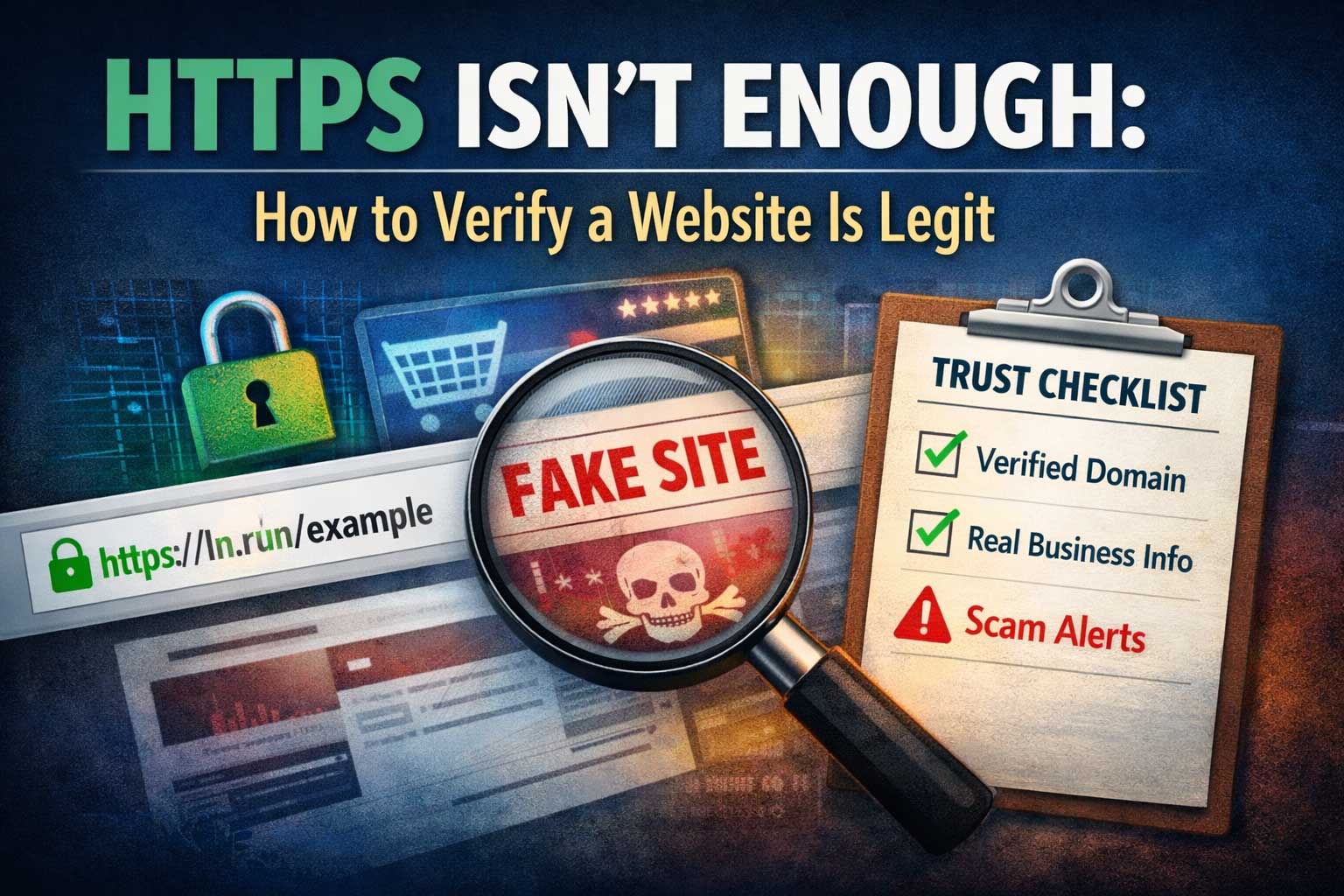
Seeing the padlock icon in your browser can feel reassuring. Many people have learned one simple rule: “If it has HTTPS, it must be safe.” Unfortunately, that rule is outdated. HTTPS is important, but it does not automatically mean the website is legitimate, trustworthy, or safe to buy from. It only means the connection between your device and the website is encrypted in transit and that the site has presented a digital certificate that your browser accepts.
Scammers know this. They can set up professional-looking sites, secure them with HTTPS in minutes, and then use social media ads, messages, or fake search results to funnel people onto pages designed to steal money, credentials, or personal information. Meanwhile, legitimate websites can sometimes look messy, outdated, or unfamiliar—especially smaller businesses—yet still be real. The result is confusion: you can’t rely on appearance alone, and you can’t rely on HTTPS alone.
So what can you rely on?
You verify legitimacy the same way you verify anything important in the real world: by checking multiple independent signals, looking for consistency, and paying attention to red flags. This article gives you a deep, practical system for verifying whether a website is legit—without depending on the padlock icon—and helps you build the habit of making safer decisions online.
What HTTPS Actually Guarantees (And What It Does Not)
Before you can use HTTPS correctly as a trust signal, you need to understand what it really means.
What HTTPS does guarantee
When a website uses HTTPS, it generally provides three core protections:
1) Encryption of data in transit
Anything you send to the website (login credentials, form data, payment details) is encrypted as it travels across networks. This helps prevent nearby attackers (like someone on the same public Wi-Fi) from reading what you send.
2) Integrity of data in transit
Encryption also helps prevent tampering with information as it moves between you and the site. It reduces the chance that someone intercepts and alters content in transit.
3) A certificate-based “claim” of identity
The website presents a certificate issued by a certificate authority. Your browser checks whether the certificate is valid for the domain you’re visiting and whether it chains back to a trusted authority.
These protections matter. You should prefer HTTPS in most situations. But here’s the key point:
What HTTPS does not guarantee
HTTPS does not guarantee the website is honest.
A scam site can encrypt your connection perfectly while still lying to you.
HTTPS does not guarantee the brand is real.
A fake store impersonating a famous brand can still have HTTPS.
HTTPS does not guarantee the company exists.
A site can have HTTPS with no real business behind it.
HTTPS does not guarantee the content is safe.
A site can use HTTPS and still distribute harmful files, run aggressive popups, or trick you into giving permissions.
HTTPS does not guarantee you’re on the right site.
If you land on a lookalike domain (a subtle misspelling or different ending), the certificate can still be “valid” for that lookalike domain.
Think of HTTPS like a sealed envelope: it protects the message from being read or changed while traveling, but it doesn’t prove the sender is trustworthy or the contents are truthful.
Why Scammers Can Easily Use HTTPS
People often assume HTTPS is difficult or expensive to obtain. It used to be. Today, it’s widely automated.
Certificates can be issued quickly
Modern certificate systems can issue domain-validated certificates fast. If someone controls a domain and can respond to automated validation checks, they can often get a valid certificate without proving they are a real company.
Domain validation is not company validation
Most certificates confirm control over a domain—not legitimacy of the organization’s business practices. Some certificates involve deeper verification, but even then, you still need broader checks.
Professional design is cheap
Templates, storefront software, and AI-generated content make it easy to produce a polished website that looks legitimate at first glance. Visual professionalism is no longer a strong indicator of trust.
The practical lesson: treat HTTPS as a minimum baseline for privacy, not as proof of legitimacy.
The Real Goal: Verify Legitimacy, Not Just Security
A “legit” website is one that is:
- Authentic (it’s who it claims to be)
- Transparent (it provides clear, verifiable information)
- Consistent (details match across independent sources)
- Safe enough for the action you’re taking (reading, signing up, buying, downloading)
The level of verification you need depends on what you’re about to do:
- Low risk: reading an article
- Medium risk: creating an account, subscribing to a newsletter
- High risk: entering payment details, sharing ID documents, logging into financial accounts, downloading software
Your verification process should scale with risk. The rest of this guide gives you a step-by-step framework you can reuse every time.
A Practical Framework to Verify a Website Is Legit
Use this as a layered approach. You’re not looking for a single magic sign. You’re looking for multiple green flags and no major red flags.
The Legitimacy Ladder (9 checks)
- Confirm you’re on the correct destination
- Check domain and browser signals properly
- Inspect site consistency and quality (the right details, not just design)
- Evaluate business transparency (contact, policies, ownership)
- Check reputation outside the site
- Validate payment and checkout safety (if buying)
- Watch for manipulation patterns and scam pressure
- Use technical hygiene tools and safer workflows
- Make a low-risk first move and monitor outcomes
Let’s break each one down in depth.
1) Confirm You’re on the Correct Destination
Many scams succeed not because the site lacks HTTPS, but because the visitor never notices they’re on the wrong domain.
Carefully read the domain name
Train yourself to look at the domain like you’d look at a banknote—slowly and deliberately. Red flags include:
- Subtle misspellings (one letter swapped, missing, or doubled)
- Extra words that mimic legitimacy (adding words like “support,” “verify,” “secure,” “help,” “official”)
- Unexpected endings (a different domain ending than you normally see for that brand)
- Long confusing domains that bury the brand in the middle
Understand subdomains vs the real domain
A common trick is to put a recognizable brand word inside a longer address where the actual domain is something else. The key is to identify the core registered domain, not just the left-hand words.
A legitimate organization may use subdomains, but subdomains alone don’t prove legitimacy. Your goal is to confirm the core domain truly belongs to the entity you expect.
Avoid “arriving” through untrusted paths when it matters
If you’re logging into something important (email, banking, dashboards), reduce risk by:
- Typing the known domain manually (carefully)
- Using a bookmark you created previously from a verified visit
- Using an official app if available (apps can still be risky, but they reduce some browser-based spoofing when properly obtained)
Be cautious with ads and urgent messages
Scams often start with urgency: “Account locked,” “Payment failed,” “Verify now,” “Last warning.” The urgency is meant to bypass careful checking. Your defense is a pause-and-verify habit: check the destination before you interact.
2) Check Domain and Browser Signals Properly
Now that you’re on the site, you can look at browser signals—but interpret them correctly.
Use the padlock icon as a starting point, not a conclusion
Clicking the security indicator can reveal whether the connection is encrypted and whether the certificate is considered valid by your browser. This helps you avoid obvious issues (like a broken certificate), but it does not prove legitimacy.
Verify the certificate matches the domain you are visiting
A basic check is that the certificate is valid for the domain in the address bar. This prevents some sloppy impersonation, but remember: a scam domain can still have a valid certificate for itself.
Understand the limits of certificate “organization” info
Some certificates contain organization details, but many do not. Even when they do, you still need to verify those details through independent sources. Treat certificate data as one clue, not a verdict.
Watch for browser warnings
Your browser may show warnings for sites with security issues, deceptive patterns, or unsafe downloads. Never override those warnings casually. If a site forces you to bypass multiple warnings just to view content or “verify,” that’s a major red flag.
3) Inspect Site Consistency and Quality (The Right Details, Not Just Design)
A polished design can be faked. Instead, look for consistency in the content and the business details.
Check whether the site’s purpose is clear
Legitimate sites usually make it clear what they offer, who it’s for, and how to contact them. Scam sites often:
- Use vague language that could apply to anything
- Overpromise results (especially money, health outcomes, “guaranteed approvals,” instant fixes)
- Focus heavily on getting you to click, download, pay, or enter data quickly
Look for internal consistency
Compare key details across multiple pages:
- Company name (spelling and formatting)
- Location (address, country, time zone hints)
- Policies (returns, privacy, terms)
- Contact methods
- Product descriptions and pricing logic
Scam sites frequently contain contradictions: a store that claims one country in the footer but another in the contact page, or a policy that refers to a different business name.
Evaluate the writing quality and specificity
Poor grammar alone doesn’t prove a scam (many legitimate small businesses have imperfect writing), but it becomes suspicious when combined with:
- Generic, copy-pasted paragraphs that feel templated
- Product descriptions that don’t match product images or categories
- Policies that mention unrelated industries
- Inconsistent brand voice and random capitalization
A legit business usually has some unique specificity: real product details, clear service boundaries, and consistent terminology.
Check images and branding consistency
Signs of inauthenticity can include:
- Logos that look stretched or inconsistently used
- Product images that don’t match the site’s style (some look professional, others look like random catalog pulls)
- Watermarks, mismatched sizing, or inconsistent backgrounds
- “About us” photos that feel like generic stock imagery with no context
Again, none of these alone is decisive—but patterns matter.
4) Evaluate Business Transparency
Legitimate websites can usually answer: “Who are you, how do I reach you, and what happens if something goes wrong?”
Contact information: more than a form
A contact form is fine, but it’s not enough for high-risk transactions. Look for:
- A real customer support channel (email, phone, ticketing system)
- A physical address (for many businesses, especially stores)
- Business hours or response expectations
- Clear escalation paths for billing or account issues
Be cautious if the only contact method is a chat widget that pressures you to act fast, or a messaging handle with no other verification.
Policies that match the business
A legitimate site usually has policies that are coherent and relevant:
- Return and refund policy (for sales)
- Shipping and delivery details (for physical goods)
- Privacy policy (what data they collect and why)
- Terms that match the company name
Red flags include:
- Refund policies that are extremely vague or one-sided
- Policies that refer to a different company name (copy-paste)
- No policy pages at all on a site that wants your money or personal data
Ownership and company details
Many real businesses provide a legal name, registration number, or corporate ownership in their footer or terms. If they claim to be a registered company, you should be able to find consistent references to that entity elsewhere online.
Be cautious of:
- Claims like “official partner” without verifiable detail
- A site that implies affiliation with a major brand but doesn’t clearly disclose the legal relationship
Real-world footprint
For higher-risk transactions, it helps if the business has an external footprint:
- Consistent presence across multiple platforms
- Independent reviews
- Mentions in credible directories or industry sources
- Evidence of history (not just a freshly created identity)
A brand-new business can be legit, but a brand-new business asking for high trust immediately deserves extra verification.
5) Check Reputation Outside the Site
The website is not a neutral source about itself. Reputation checks matter because they come from outside the site’s control.
Search for the business name + key terms (carefully)
When you research, look for a mix of sources and patterns, not a single review page. A healthy reputation typically has:
- Multiple review sources that don’t all look identical
- Reviews across time, not all posted within a short window
- Specific details (delivery times, product quality, customer service resolution)
Be cautious with fake reviews
Scam operations often generate fake reviews that share these traits:
- Overly enthusiastic but vague praise
- Repeated phrases across multiple accounts
- Similar posting dates clustered tightly
- No mention of specifics (product name, order issues, resolution process)
The goal isn’t to find perfect reviews—it’s to see whether the business behaves like a real operation with real customers.
Check whether complaints describe the same pattern you’re worried about
A few complaints are normal. What matters is repeated patterns like:
- People reporting never receiving products
- Refunds refused or impossible
- Customer support ghosting after payment
- Unauthorized charges
- Accounts compromised after logging in
If you see that pattern across multiple independent sources, treat it as a major warning.
Verify official social presence carefully
Social media can help—but it’s easy to fake. Look for:
- Consistent branding and history (older posts, not all recent)
- Real engagement (comments that look like humans, not bots)
- Evidence of customer service interactions (responses, resolutions)
A large follower count is not proof. Follower counts can be purchased or built through unrelated viral content.
6) Validate Payment and Checkout Safety (If You’re Buying)
When money is involved, your verification should become stricter.
Prefer payment methods with buyer protection
If a site only accepts irreversible payments, your risk increases. Safer approaches often involve payment methods that support disputes and chargebacks.
Be especially cautious if the site pushes you toward:
- Direct transfers
- Crypto-only payments
- Gift cards
- “Friends and family” style payments
- Any method that bypasses formal buyer protections
Legitimate businesses may accept multiple payment methods and won’t pressure you into the least reversible option.
Watch the checkout flow
Signs of a safer checkout include:
- Clear itemization (product, tax, shipping)
- Transparent refund rules before purchase
- Confirmations that match what you’re buying
- No surprise add-ons or forced subscriptions
Red flags include:
- Sudden price changes at checkout
- Add-ons you can’t remove
- Checkout pages that feel inconsistent with the site design
- Aggressive upsells that block progress
- Pressure timers that reset, claiming “only a few minutes left”
Check for “too good to be true” pricing
Scam stores often lure people with extreme discounts. Ask yourself:
- Is this price realistic for the product category?
- Does the site explain why it’s discounted (clearance, refurbished, seasonal sale)?
- Does the pricing match normal market ranges?
If the deal is dramatically below typical pricing with no credible explanation, treat it as a red flag and increase verification.
Look for realistic shipping and return handling
Legitimate sellers typically provide:
- Shipping estimates that align with geography
- Return instructions that make sense (where returns go, how long you have, who pays return shipping)
- A customer support process for lost or damaged items
Scam stores often use vague shipping promises and complicated return language designed to discourage refunds.
7) Watch for Manipulation Patterns and Scam Pressure
Many scams are less technical and more psychological. Your brain is the real target.
Common pressure tactics
Be careful if you see:
- Urgency: “Act now,” “final warning,” “limited time,” “only today”
- Fear: threats of account closure, legal action, loss of access
- Reward bait: “You won,” “free gift,” “exclusive eligibility”
- Authority impersonation: pretending to be official support or a trusted institution
- Isolation: “Don’t contact anyone else,” “only use this chat”
Legitimate businesses may use marketing, but they usually do not threaten or rush you into giving sensitive information.
Requests for unnecessary sensitive data
If a website asks for information that doesn’t match the transaction, stop and reassess:
- Why would a simple purchase require your full ID?
- Why would support need your password?
- Why would you need to “verify” with excessive personal details?
A safe rule: never share passwords, one-time codes, or full sensitive identity data unless you are absolutely certain you are interacting with the legitimate entity through a verified channel.
Downloads and permission prompts
Be cautious if the site asks you to:
- Install unknown software to “continue”
- Allow push notifications immediately
- Enable unusual browser permissions for basic actions
These are common paths to scams, spam, or unwanted behavior. Legitimate services rarely require intrusive permissions for normal browsing.
8) Use Technical Hygiene Tools and Safer Workflows
Even strong verification can’t guarantee safety. You also want good habits that reduce damage if something goes wrong.
Use a password manager
A password manager helps in two ways:
- It generates unique passwords so one breach doesn’t compromise everything.
- It auto-fills only on the correct domain, which can help you notice lookalike sites.
If your password manager refuses to fill on a site you think is correct, treat that as a prompt to re-check the domain carefully.
Turn on multi-factor authentication for important accounts
Multi-factor authentication can prevent account takeover even if your password is stolen. Use it for email, banking, and any account that controls payments or personal data.
Keep your browser and device updated
Updates patch known vulnerabilities. Many attacks rely on outdated software. Staying updated is a basic but powerful defense.
Use safer “first contact” behavior
When you’re unsure about a site:
- Don’t create an account immediately
- Don’t reuse any passwords
- Don’t provide payment details
- Don’t download anything
Instead, research reputation, verify business footprint, and test with low-risk actions first.
Consider using separate payment protections
For purchases on unfamiliar sites, risk-reduction strategies include:
- Using payment methods with buyer protection
- Using virtual or limited-purpose payment details (where available)
- Avoiding saving payment information on the site
The goal is not paranoia—it’s damage control.
9) Make a Low-Risk First Move and Monitor Outcomes
If the site seems legit but still uncertain, you can reduce risk by testing the relationship.
Start small
If buying, consider a small purchase first rather than a large one. Legit businesses deliver consistent experience across order sizes, while scam sites often fail quickly.
Watch the confirmation and post-purchase behavior
Legitimate transactions typically include:
- Clear confirmation details
- Reasonable email receipts (not requiring you to click strange verification steps)
- A trackable process for shipping or service delivery
- Customer support that responds within expected times
Red flags after purchase can include:
- No confirmation at all
- Confusing messages pushing you to “verify” by providing more sensitive info
- Immediate pressure to buy more or upgrade urgently
- Support that disappears once payment is done
Monitor your accounts
After any purchase on a new site, keep an eye on:
- Payment account activity for unauthorized charges
- Emails for password resets you didn’t request
- New logins or security alerts
If something feels off, act quickly: secure accounts, change passwords, and contact your payment provider according to their dispute process.
High-Risk Scenarios: Extra Verification You Should Do
Some situations require extra caution.
Logging into financial or identity-related services
If you’re entering credentials for something high-value:
- Avoid using links from messages or ads
- Use a trusted path (typed domain, saved bookmark)
- Verify the domain carefully
- Consider using an official app when appropriate
- Never share one-time codes with anyone
Job offers, forms, and document requests
Scam sites often collect personal data by posing as employers, schools, or services. Extra red flags include:
- Requests for sensitive documents too early
- Offers that promise unusually high rewards
- Processes that skip normal steps (no interview, immediate acceptance)
- Pressure to pay fees upfront
Legitimate organizations have structured processes and can be verified through independent channels.
Software downloads
If a site encourages downloads:
- Confirm the publisher identity
- Be suspicious of “download managers” and forced installers
- Avoid installing software from unknown sources without strong verification
- Prefer official distribution channels when available
A website can have HTTPS and still distribute unwanted or harmful software.
A Simple Scoring Checklist You Can Reuse
When you need a fast decision, use a weighted checklist. You’re aiming for “enough green flags” and “no major red flags.”
Strong green flags (high value)
- Domain matches the real brand you intended to visit
- Clear business identity and consistent company name
- Transparent policies that match the business
- Multiple independent reputation sources over time
- Buyer-protected payment methods available
- Customer support presence that looks realistic and consistent
Medium green flags (helpful but not decisive)
- Professional content with consistent details
- Reasonable pricing and shipping logic
- Clear terms for refunds and disputes
- Non-aggressive marketing and no manipulative urgency
Major red flags (often decisive)
- Domain is a lookalike or unexpected variant
- High pressure and urgency to act immediately
- Requests for passwords, one-time codes, or excessive personal data
- Only irreversible payment methods
- No real contact methods beyond a form or pushy chat
- Policies that are missing, contradictory, or copied from elsewhere
- Many independent complaints describing the same scam pattern
If you see one or more major red flags, the safest move is to stop and use a more trusted alternative.
Common Myths That Get People Scammed
Myth 1: “It has HTTPS so it’s legit.”
Reality: HTTPS is common and easy to get. It protects the connection, not the honesty of the site.
Myth 2: “It looks professional, so it’s safe.”
Reality: Templates make scams look polished. Check identity, transparency, and reputation instead.
Myth 3: “The first page of search results proves it’s legitimate.”
Reality: Search results can include ads and manipulated placements. Always verify the domain and the source.
Myth 4: “If a site is new, it must be a scam.”
Reality: New businesses exist. But new sites should earn trust through transparency, reputation building, and safer payment options.
Myth 5: “Reviews on the site are enough.”
Reality: On-site testimonials are easy to fabricate. Look for independent sources.
How to Build a Habit of Safer Browsing
The strongest defense is a repeatable habit, not a one-time deep investigation.
Use a two-second pause
Before entering credentials or payment details, pause and do two quick checks:
- Is the domain exactly what I expect?
- Do I see any urgent pressure or major red flags?
This tiny pause prevents many common scams.
Keep “high trust” actions on high trust sites
Logins, payments, and identity verification belong on verified, trusted destinations. For unknown sites, browse cautiously and delay high-risk actions until legitimacy is established.
Think in layers
No single signal is perfect. Legitimacy comes from multiple consistent signals, while scams often collapse under a few careful checks.
Conclusion: HTTPS Is a Seatbelt, Not a Driver’s License
HTTPS is essential for basic security, but it is not a proof of legitimacy. It tells you the connection is encrypted and the site has a certificate your browser accepts. It does not tell you whether the people behind the site are honest, whether the business is real, or whether the offer is safe.
To verify a website is legit, you need a layered approach: confirm the domain, assess transparency, look for consistent business identity, check reputation outside the site, use safer payment methods, watch for manipulation tactics, and keep strong security hygiene. When you treat trust like a checklist instead of a feeling, you reduce your chances of being fooled by a padlock icon and a polished landing page, and you build long-term confidence in navigating the web safely.