What Is a URL Shortener? Pros, Cons, and Security Risks
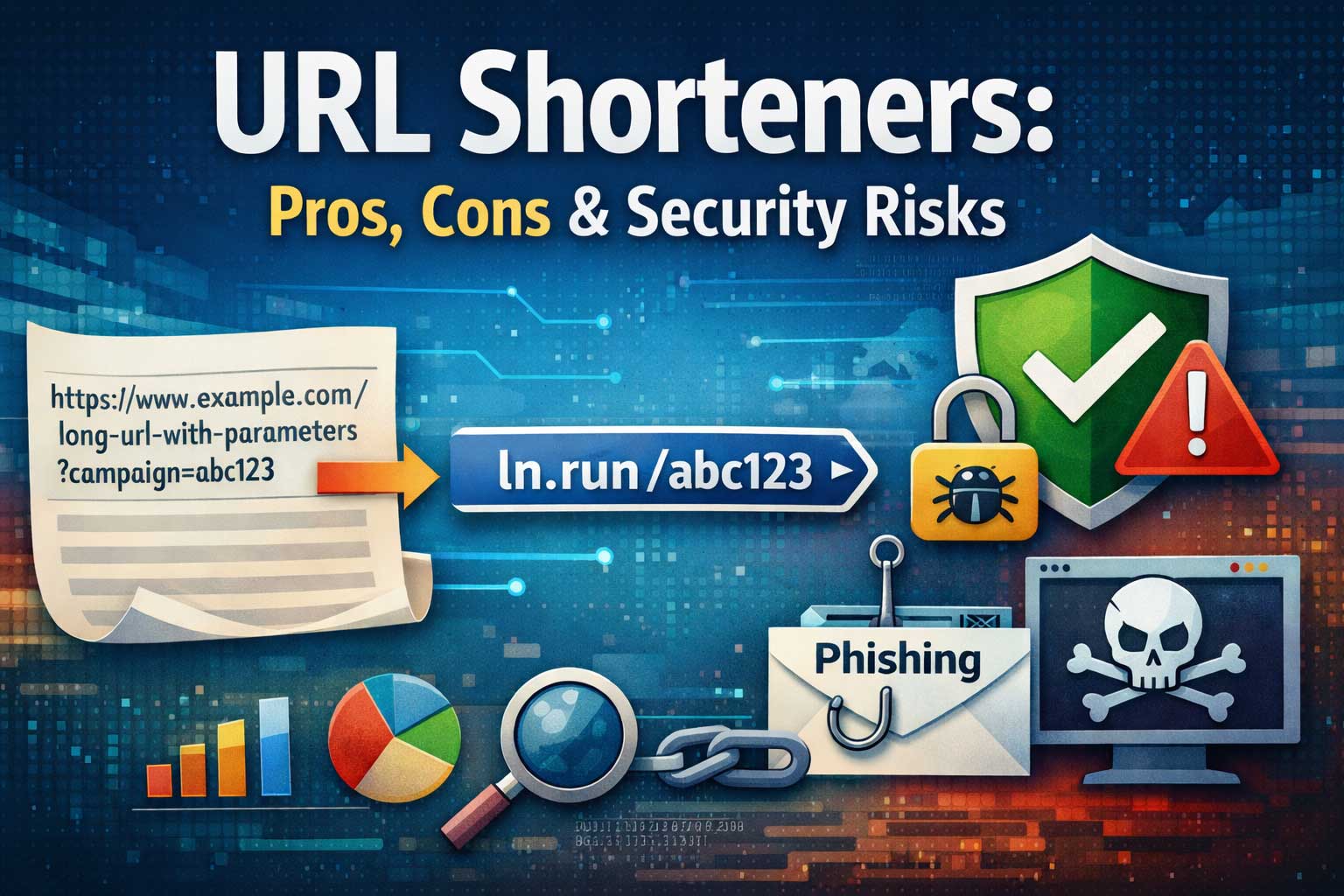
A URL shortener is a tool or service that takes a long web address and converts it into a shorter, easier-to-share link that redirects to the original destination. People use URL shorteners to make links look cleaner, fit character limits, improve sharing on social media, track marketing performance, and create branded links that build trust.
But while shortened links can be extremely convenient, they also introduce trade-offs: you may lose transparency about where a link goes, depend on a third-party service to keep redirects working, and expose users (or your brand) to security risks if the short links are abused.
This article explains what URL shorteners are, how they work behind the scenes, why people use them, where they can go wrong, and how to reduce the most common security and reliability risks.
The Basics: What a URL Shortener Actually Does
At the simplest level, a URL shortener performs three jobs:
- It stores a destination address (the original, long link).
- It generates a short identifier (a code, slug, or token).
- It redirects visitors who click the short link to the stored destination.
So instead of sharing something long and messy (often containing many tracking parameters or a deep path), you share a short link that acts like a “pointer.” When clicked, the shortener looks up the destination and sends the visitor there.
A simple analogy
Think of it like a coat check ticket:
- The coat is the long destination URL.
- The ticket number is the short code.
- The coat check counter is the URL shortener service.
- When you present your ticket, the counter retrieves your coat—just like the shortener retrieves the destination.
Why Long URLs Get So Long
Modern URLs can become lengthy for a few reasons:
- Tracking parameters used by marketing teams to measure performance (campaign name, ad group, keyword, placement).
- Deep paths inside apps or content systems (multiple nested sections).
- Session or state tokens added by some systems.
- Product filters and sorting options added to shopping or search pages.
- Localization and personalization parameters.
Even when the destination is perfectly legitimate, long URLs can look spammy, break across lines in messages, or get cut off in some platforms. URL shorteners solve these presentation issues—but that convenience comes with its own set of considerations.
A Short History of URL Shorteners
URL shortening became popular as social platforms grew, especially those with strict character limits. Shorteners also became useful in print marketing because short, memorable links are easier to type.
Over time, URL shorteners evolved beyond “make it shorter” into full link management platforms featuring:
- Branded short domains (custom link branding)
- Analytics and attribution
- Campaign management
- Link editing and destination swapping
- Geographic and device-based routing
- QR code generation
- Team permissions and governance
- Security scanning and abuse prevention
In other words, today’s URL shorteners are often marketing, analytics, and security tools—not just text compressors.
How URL Shorteners Work (Step by Step)
Understanding how URL shorteners work helps you evaluate reliability and security.
Step 1: Input and normalization
When a user submits a long URL, the system often normalizes it:
- Ensures it’s properly formatted
- Removes accidental spaces or encoding issues
- Optionally enforces allowed destination rules (especially in enterprise systems)
Some shorteners also store metadata like:
- Creation time
- Creator account
- Campaign tags
- Expiration time
- Access controls
- Notes and labels
Step 2: Token generation
The shortener generates a unique token (short code). Common approaches:
- Incremental IDs (like 100001, 100002) encoded into a shorter alphabet
- Random tokens (for unpredictability)
- Hash-based tokens (derived from the destination, sometimes salted)
- Custom slugs (human-readable words chosen by the user)
Most systems represent tokens using a compact character set, commonly called base62 (letters and numbers) to keep codes short while allowing many combinations.
Why token length matters
If you use only numbers, you need longer codes to support large volumes. If you use letters and numbers, you can store far more unique links with fewer characters.
For example, a 6-character token in a large character set can represent a massive number of unique combinations, which is why many short links look like short mixes of letters and digits.
Step 3: Storage in a database
The shortener stores a mapping:
- token → destination URL + metadata
To scale, high-volume systems optimize for:
- Fast token lookups
- High write rates
- Low-latency global redirection
- Caching of popular links
- Resilience against abuse and spikes
Step 4: Redirect resolution
When someone visits the short link, the service:
- Reads the token from the request
- Looks it up in storage or cache
- Checks rules (expiration, access permissions, block lists)
- Responds with a redirect to the destination
Step 5: Logging and analytics (optional)
Many shorteners log:
- Timestamp
- Referrer (when available)
- Device type and browser
- Country or region (approximate)
- Campaign tags
- Unique vs repeat clicks
This fuels dashboards and marketing insights—but it also raises privacy concerns (more on that later).
Redirect Types and Why They Matter
Redirects are not all the same. The shortener can respond using different redirect status behaviors. While the exact mechanics happen at the protocol level, the practical differences are:
- Permanent redirect behavior: signals the destination is intended to be stable.
- Temporary redirect behavior: signals the destination might change.
Why this matters for SEO and caching
- Some platforms and browsers may cache “permanent” redirects more aggressively.
- Search engines interpret different redirect behaviors differently.
- If you plan to change destinations later (common in marketing), you often want “temporary” redirect behavior.
A good URL shortener lets you choose redirect behavior based on your use case:
- Brand campaigns that might rotate destinations
- Evergreen resources that should stay stable
- Time-limited promotions that expire
Types of URL Shorteners
Not all URL shorteners are built for the same goals.
1) Basic link shorteners
These provide:
- Short link creation
- Simple redirect
- Limited analytics (or none)
They’re easy and cheap, but may lack governance and security controls.
2) Branded link platforms
These focus on:
- Custom branded link identity
- Team collaboration
- Link organization
- UTM-style campaign tagging support
- Advanced analytics and attribution
They’re popular with businesses that care about trust and branding.
3) Enterprise link management systems
These add:
- Role-based access control
- Audit logs
- Destination allowlists
- Single sign-on
- Compliance features
- Abuse monitoring and threat detection integrations
These are built for large teams, high volume, and strong risk controls.
4) Self-hosted shorteners
Organizations sometimes build their own for:
- Full control and data ownership
- Reduced third-party dependency
- Custom security requirements
- Integration into internal tooling
Self-hosting can improve control, but it shifts responsibility for uptime, security, and abuse prevention onto you.
Common Use Cases (And Why Short Links Help)
URL shorteners are used in many environments.
Social media and messaging
- Cleaner appearance
- Easier sharing
- Less risk of line breaks
- Works well in captions, bios, and comments
Email marketing
- Tracking clicks by campaign and segment
- Keeping the design tidy
- Updating destination if something changes
Print and offline campaigns
- Short links are easier to type from posters, packaging, business cards
- Often paired with QR codes
Customer support and documentation
- Easier to share and remember
- Can route users by language or device type
Product onboarding and app deep linking
- Directing mobile users to app screens
- Sending desktop users to a web alternative
- Handling region-based store routing
Internal business operations
- Short links to dashboards, SOPs, knowledge bases
- Access control for internal teams (in advanced systems)
Pros of URL Shorteners
1) Better readability and aesthetics
A short link looks cleaner and reduces friction. People are more likely to click a link that:
- Looks intentional
- Fits neatly in a post
- Doesn’t appear suspiciously long
2) Easier sharing across platforms
Some platforms truncate long links, break them across lines, or strip parameters. Short links reduce these formatting failures.
3) Branded trust and recognition
A branded short link can reinforce trust because it clearly shows the sender’s brand identity.
This is especially valuable for:
- Influencers and creators
- E-commerce stores
- SaaS companies
- Media publishers
- Customer support teams
4) Analytics and measurement
Shorteners often provide click analytics such as:
- Total clicks and unique clicks
- Clicks over time
- Geography and device breakdown
- Referrer sources (when available)
This is useful for marketing optimization and reporting.
5) Centralized link management
Instead of links living everywhere (spreadsheets, posts, PDFs), teams can manage them in one place:
- Search and tag links
- Organize by campaign
- Avoid duplicates
- Set expiration rules
6) Ability to update destination (smart redirects)
Some platforms allow you to change the destination behind a short link. This helps when:
- A landing page changes
- A product page moves
- A campaign needs a quick switch
- A mistake is discovered after publishing
7) Advanced routing rules
More sophisticated shorteners can route users based on:
- Country or language
- Device type
- Time windows (limited promotions)
- A/B tests
This can improve conversions and user experience.
8) QR code generation and tracking
Many marketing teams want QR codes tied to measurable campaigns. Link shorteners can generate and track QR-driven visits.
Cons of URL Shorteners
1) Reduced transparency for users
A short link hides the destination. That makes it harder for users to judge safety at a glance. This is the biggest reason short links are commonly abused for phishing and scams.
2) Dependence on the shortener’s uptime
If the shortener service goes down, your links stop working.
This risk matters a lot for:
- Customer support
- High-traffic media sites
- Evergreen content
- Product documentation
- Critical workflows like password resets (generally not recommended via short links)
3) Link rot and shutdown risk
If a shortener shuts down, changes business models, or blocks your account, you can lose link continuity.
This has happened repeatedly across the internet: when a service disappears, millions of short links can break.
4) Performance overhead
A short link adds an extra “hop”:
- user → shortener → destination
That extra redirect can add latency, especially if the shortener’s servers are far from the visitor or overloaded.
5) Platform trust and deliverability issues
Some platforms treat shortened links cautiously:
- Email spam filters may flag them more often
- Social networks may reduce reach or show warnings
- Messaging apps may display safety prompts
Using a branded and reputable shortener can reduce this, but the risk remains.
6) Analytics and privacy concerns
If your shortener collects detailed click data, you must think carefully about:
- Privacy laws
- Consent requirements
- Data retention limits
- User expectations
Short links can become silent tracking mechanisms, especially when combined with pixels or advanced fingerprinting (which is ethically and legally risky in many jurisdictions).
7) Misconfiguration can create security holes
Poorly designed shorteners can become tools for abuse:
- Open redirects
- Bypass of content filters
- Link cloaking that helps scammers hide destinations
- Vulnerabilities in preview pages or admin panels
Security Risks: Why Short Links Are Attractive to Attackers
Short links are powerful because they hide complexity. That’s also why attackers love them: they can conceal malicious destinations inside harmless-looking text.
Below are the most common security risks.
1) Phishing and credential theft
Attackers often use short links to:
- Disguise fake login pages
- Imitate trusted brands
- Trick users into entering passwords or payment details
Because the destination is hidden, users can’t easily verify it before clicking.
Why it works: People decide quickly. A short link looks “clean,” and in a fast-scrolling feed, many users click without inspecting.
2) Malware delivery and drive-by downloads
Short links can redirect to:
- Malicious downloads
- Fake update prompts
- Exploit kits (less common today, but still a risk)
- Sites that push harmful browser notifications
Even when the final destination is blocked by major browsers, attackers may rotate destinations quickly to stay ahead.
3) Social engineering and context abuse
Short links become more dangerous when combined with believable messages like:
- “Your account will be suspended”
- “Payment failed”
- “Document shared with you”
- “Shipping confirmation”
The link itself provides no helpful context. Users rely entirely on the message.
4) Link cloaking and redirect chains
Attackers may chain redirects:
- short link → intermediate redirect → final malicious page
Redirect chains make detection harder and can bypass simple filters that only check the first hop.
5) Abuse of “custom slugs” to impersonate brands
If a service allows custom slugs, attackers may create slugs that look official:
- Using brand-like words
- Using misleading campaign terms
- Using lookalike characters
Even without showing the destination, the visible part of the short link can manipulate trust.
6) Data harvesting and tracking without consent
Short links can be used to collect:
- Click timestamps
- Approximate location
- Device characteristics
- Referrer data
When used responsibly, this is normal analytics. When used irresponsibly, it becomes invasive tracking—sometimes violating privacy expectations or regulations.
7) Brute-force scanning of short codes
If tokens are too short or predictable, attackers can guess them and discover private links.
This is a major risk for links that were never meant to be public, such as:
- Private documents
- Unlisted resources
- Invite links
- Internal dashboards
Risk factors that increase guessability:
- Very short token lengths
- Sequential IDs
- No rate limiting
- No bot protection
- No access controls
8) Account takeover and admin panel risks
If a business uses a URL shortener platform, the admin account becomes valuable:
- Attackers can change destinations
- Replace links with malicious content
- Hijack campaigns
- Damage brand reputation
Weak passwords, missing multi-factor authentication, and poor access controls are frequent causes.
9) Abuse and reputation damage for link owners
Even if you’re not the victim, your brand can suffer if:
- Your shortened links are flagged as suspicious
- Your domain gets blocklisted
- Your email campaigns get penalized
- Users lose trust in your messages
A single compromised link can create long-term brand harm.
Security Best Practices for Individuals (Before You Click)
If you’re a user encountering shortened links, here’s how to reduce risk.
1) Look for clear context
A link is safer when:
- It comes from a trusted person through a trusted channel
- The message content matches the expected behavior
- The sender can confirm why it was sent
Suspicious signs include urgency, threats, or prizes you didn’t expect.
2) Prefer branded short links when possible
A branded short link can still be abused, but it’s generally more trustworthy than an anonymous shortener—especially if you already recognize the brand.
3) Be cautious with links in unexpected emails or messages
Many phishing attempts depend on surprise. If you didn’t request a password reset, invoice, or document share, treat the link as high-risk.
4) Use link preview features when available
Some platforms show a preview of the destination when you long-press or hover (depending on device). This can help, but it’s not perfect because attackers can still manipulate redirect chains.
5) Keep your device and browser protections updated
Modern browsers and operating systems include protections against known malicious sites. These protections work best when updated and enabled.
Security Best Practices for Businesses Using URL Shorteners
If you create shortened links for customers, your responsibility is higher. You’re not only protecting your own systems—you’re protecting the people who trust your brand.
1) Use strong account security
- Enable multi-factor authentication
- Use unique, strong passwords
- Limit admin accounts
- Review access regularly
2) Choose a shortener with serious security controls
Look for features such as:
- Abuse detection and reporting workflows
- Destination allowlists and blocklists
- Malware scanning of destinations
- Bot filtering and rate limiting
- Audit logs and change tracking
- Role-based access control
3) Use a branded domain for trust and deliverability
A consistent branded short link helps:
- Users recognize your links
- Reduce suspicion
- Improve deliverability across email and social platforms
4) Protect against destination swapping attacks
Even trusted teams make mistakes, and compromised accounts are real. Reduce risk by:
- Requiring approvals for destination edits
- Logging all changes with user identity
- Alerting when high-traffic links are modified
5) Implement safe redirection rules
If you run your own shortener, you should:
- Reject unsafe destination formats
- Block private network destinations (to prevent misuse)
- Validate allowed schemes (web destinations only)
- Prevent injection in redirect parameters
- Avoid allowing arbitrary redirects based on user input
A common design flaw is allowing a redirect destination to be passed in as a parameter and then redirecting without validation. This creates an “open redirect” that attackers can use to make your domain look trustworthy while sending users elsewhere.
6) Add rate limiting and bot protection
To reduce brute-force guessing and scanning:
- Rate limit requests per IP and per user agent pattern
- Detect high-volume sequential token probing
- Use bot scoring or challenge pages carefully (without breaking legitimate traffic)
- Throttle suspicious patterns while allowing normal users
7) Monitor for abuse signals
You should watch for:
- Sudden spikes in traffic
- Unusual geographies
- High bounce rates
- Complaints and abuse reports
- Multiple links created rapidly from one account
- Repeated creation of similar destinations
8) Use expiration and lifecycle controls
Not every link should live forever. Add:
- Expiration dates for time-limited campaigns
- Automatic disabling of old promo links
- Archiving policies
- Rules for link reuse
This reduces the “attack surface” of old links that nobody monitors anymore.
9) Consider a preview or interstitial (with care)
Some services use a “preview page” before redirecting to show the destination and a safety message.
This can:
- Increase transparency
- Reduce accidental clicks
- Help detect suspicious destinations
But it can also:
- Reduce conversions
- Add friction
- Create privacy questions
- Introduce new vulnerabilities if implemented poorly
If you use preview pages, secure them and keep them lightweight. Make sure they don’t expose sensitive analytics or allow script injection.
SEO Considerations: Do URL Shorteners Help or Hurt?
URL shorteners can be SEO-neutral when implemented correctly, but misconfiguration can create problems.
When short links are SEO-neutral
Short links are typically used as:
- Sharing links on social and messaging
- Campaign links for marketing attribution
- Links in offline materials
In these cases, the primary goal is usability and tracking, not ranking.
Potential SEO benefits (indirect)
Shorteners can help indirectly by:
- Improving click-through rate (cleaner links get more clicks)
- Strengthening brand recognition (branded links look trustworthy)
- Simplifying tracking, which improves campaign optimization
- Reducing broken URLs in sharing contexts
These can lead to better engagement, which can support your overall marketing performance.
Potential SEO downsides
- Wrong redirect behavior
If your goal is to consolidate signals to the destination, permanent redirect behavior is often preferred for stable content. If you use temporary behavior for evergreen links, search engines may treat it differently. - Redirect chains
If a short link points to a destination that redirects again (or multiple times), performance and crawl efficiency can suffer. - Indexing of short links
In most marketing contexts, you don’t want short links themselves to be indexed as standalone pages. If a shortener creates preview pages or exposes content, it can create duplicate indexing issues unless managed carefully. - Overuse in internal linking
Using shortened links everywhere inside your own site navigation is usually not ideal. For internal links, direct URLs are clearer and avoid unnecessary redirect overhead.
Practical SEO recommendations
- Use short links primarily for sharing, campaigns, and offline materials.
- Avoid using short links for critical internal navigation.
- Keep redirect chains minimal.
- Maintain consistency: don’t create dozens of short links to the same page with different tokens unless you need them for analytics.
- If you rely on branded short links, treat them as part of your brand infrastructure and maintain them like any other core service.
Reliability Risks: The Hidden Cost of Convenience
Security isn’t the only concern. Reliability matters just as much.
1) Service outages
If a third-party shortener has downtime, your links fail. This can be catastrophic during:
- Product launches
- Email campaigns
- Time-sensitive promotions
- Support incidents
2) Policy enforcement and account bans
Shortener services often enforce anti-abuse policies. If your content is misclassified, you may experience:
- Link blocking
- Account suspension
- Traffic interruptions
Even legitimate businesses can be affected if they operate in high-risk niches or attract attackers who abuse their systems.
3) Long-term link persistence
If you use short links in printed materials, you need them to last for years. That’s a different requirement than short links used in social posts.
If long-term persistence matters:
- Use a provider with a strong track record
- Consider self-hosting if you have the capacity
- Keep ownership and renewal of branded domains under your control
- Plan migrations and backups
Choosing the Right URL Shortener: A Practical Checklist
If you’re selecting a URL shortener for business or serious publishing, evaluate it like infrastructure—not a toy.
Security checklist
- Multi-factor authentication support
- Role-based access control
- Audit logs for link creation and edits
- Destination scanning and threat detection
- Anti-brute-force rate limiting
- Abuse reporting workflow
- Ability to disable or quarantine risky links quickly
Reliability checklist
- High availability architecture (or a credible uptime track record)
- Global performance options (edge caching, low latency)
- Backup and recovery policies
- Clear rules on link permanence
- Export tools for link data (so you can migrate if needed)
Governance checklist
- Team collaboration features
- Approval workflows for edits
- Naming conventions and tagging
- Separation of environments (testing vs production campaigns)
- Alerts for unusual activity
Analytics checklist (privacy-aware)
- Clear definitions (click vs unique click)
- Bot filtering options
- Configurable data retention
- Privacy controls aligned with your legal obligations
- Minimal collection when you don’t need granular tracking
If You Build Your Own URL Shortener: Key Design Considerations
Many teams build their own shorteners for control, branding, and cost. If you do, treat it as a security-sensitive system.
1) Token strategy: random vs sequential
- Sequential tokens are simpler but easier to guess.
- Random tokens reduce guessability.
- Longer tokens reduce brute-force risk but can be less convenient.
A strong approach is unpredictable tokens plus rate limiting, especially for any link that might expose sensitive resources.
2) Prevent open redirect abuse
Never allow arbitrary redirect destinations based solely on a query parameter without strict validation.
Safer patterns include:
- Only redirect destinations stored server-side and mapped to tokens
- Enforce allowlists for destination domains (especially for internal tools)
- Validate destination formats and reject suspicious patterns
3) Add layered defenses
- Rate limiting
- Bot detection
- Abuse monitoring
- Safe browsing checks or threat intelligence integration (if available to you)
- Quarantine mode for suspicious destinations
4) Handle link lifecycle
- Expiration support
- Soft delete vs hard delete
- Redirect to a safe “link unavailable” page when disabled
- Audit history of edits (who changed what and when)
5) Make performance a first-class feature
Shorteners must be fast. Best practices include:
- Cache popular token lookups
- Use a storage design optimized for reads
- Keep redirect responses lightweight
- Minimize extra scripts and heavy preview pages
- Use geographically distributed infrastructure when necessary
6) Logging and privacy
Collect only what you need. If you store detailed analytics, protect that data like any sensitive dataset:
- Access controls
- Retention limits
- Aggregation and anonymization where possible
- Clear internal policies
Real-World Scenarios: Where Pros and Risks Collide
Scenario 1: A creator sharing affiliate links
Pros:
- Cleaner link presentation
- Better click tracking
- Easier link management across platforms
Risks:
- Platform suspicion of shortened links
- User mistrust if destination is unclear
- Account compromise could redirect followers to scams
Mitigation:
- Use branded links
- Keep account secure with multi-factor authentication
- Avoid overly misleading slugs
Scenario 2: A business sending support links by email
Pros:
- Consistent branding
- Central control of destination pages
- Analytics for engagement
Risks:
- Phishing lookalikes can imitate your style
- If your shortener domain is blocklisted, deliverability drops
- If a link is edited maliciously, customers are exposed
Mitigation:
- Restrict who can edit high-traffic links
- Require approvals for destination changes
- Monitor spikes and complaints
Scenario 3: Printed QR codes on packaging
Pros:
- Easy scanning
- Ability to update destination later (if product pages change)
Risks:
- Long-term dependency on shortener uptime
- If domain renewal fails, the campaign dies
- If shortener policies change, links can be blocked
Mitigation:
- Choose durable infrastructure
- Maintain domain ownership carefully
- Use backups and migration plans
Common Myths About URL Shorteners
Myth 1: “Short links are always bad for SEO”
Not true. Used correctly, they can be neutral. Problems usually come from misuse, redirect chains, or indexing issues—not the idea of shortening itself.
Myth 2: “Short links are inherently unsafe”
They can be safe when operated responsibly and used with good security practices. The risk comes from hidden destinations and abuse potential, not from the concept alone.
Myth 3: “If it’s a branded short link, it’s always trustworthy”
Branding helps, but it’s not a guarantee. Brands can be impersonated, and accounts can be compromised. Branding reduces suspicion, which is why it can be targeted.
Myth 4: “Analytics are always harmless”
Analytics can become invasive if you collect too much data or retain it too long without clear purpose or consent. Responsible measurement is possible, but it requires discipline.
Best Practices Summary: Safe, Effective Use of URL Shorteners
For individuals
- Click short links only when the message context makes sense
- Be cautious with unexpected urgency
- Prefer links from trusted senders and recognizable brands
- Keep browser and device protections updated
For businesses
- Use strong account protection (especially multi-factor authentication)
- Prefer branded short links for trust and deliverability
- Monitor link activity and set up alerts
- Limit who can create and edit links
- Use expiration and lifecycle rules
- Choose platforms with scanning, rate limiting, and audit logs
For developers and operators
- Use unpredictable tokens for sensitive links
- Prevent open redirects through strict validation
- Add rate limiting and bot defenses
- Build monitoring and abuse response workflows
- Keep the redirect path fast and reliable
- Treat analytics data as sensitive and protect it appropriately
Final Thoughts
A URL shortener is more than a convenience tool—it’s a layer of infrastructure that sits between users and the destinations you want them to reach. When used responsibly, URL shorteners make sharing easier, strengthen branding, improve campaign measurement, and simplify link management at scale. But when used carelessly—or operated without strong controls—they can become an attack surface for phishing, malware distribution, and reputation damage.
The best approach is to treat link shortening as a balance of usability, reliability, privacy, and security. Choose the right type of shortener for your needs, build trust through branding and transparency, protect your accounts and workflows, and implement monitoring and abuse prevention. Done well, shortened links can be a powerful asset rather than a hidden risk.